
Desktop hardware and Windows diagnosis · Westgate
Desktop Computer Repair Auckland
A desktop that appears dead may have a power, display, memory, storage, graphics, cooling or operating-system fault. A structured diagnosis separates hardware from software before parts are ordered or data-affecting steps are proposed.
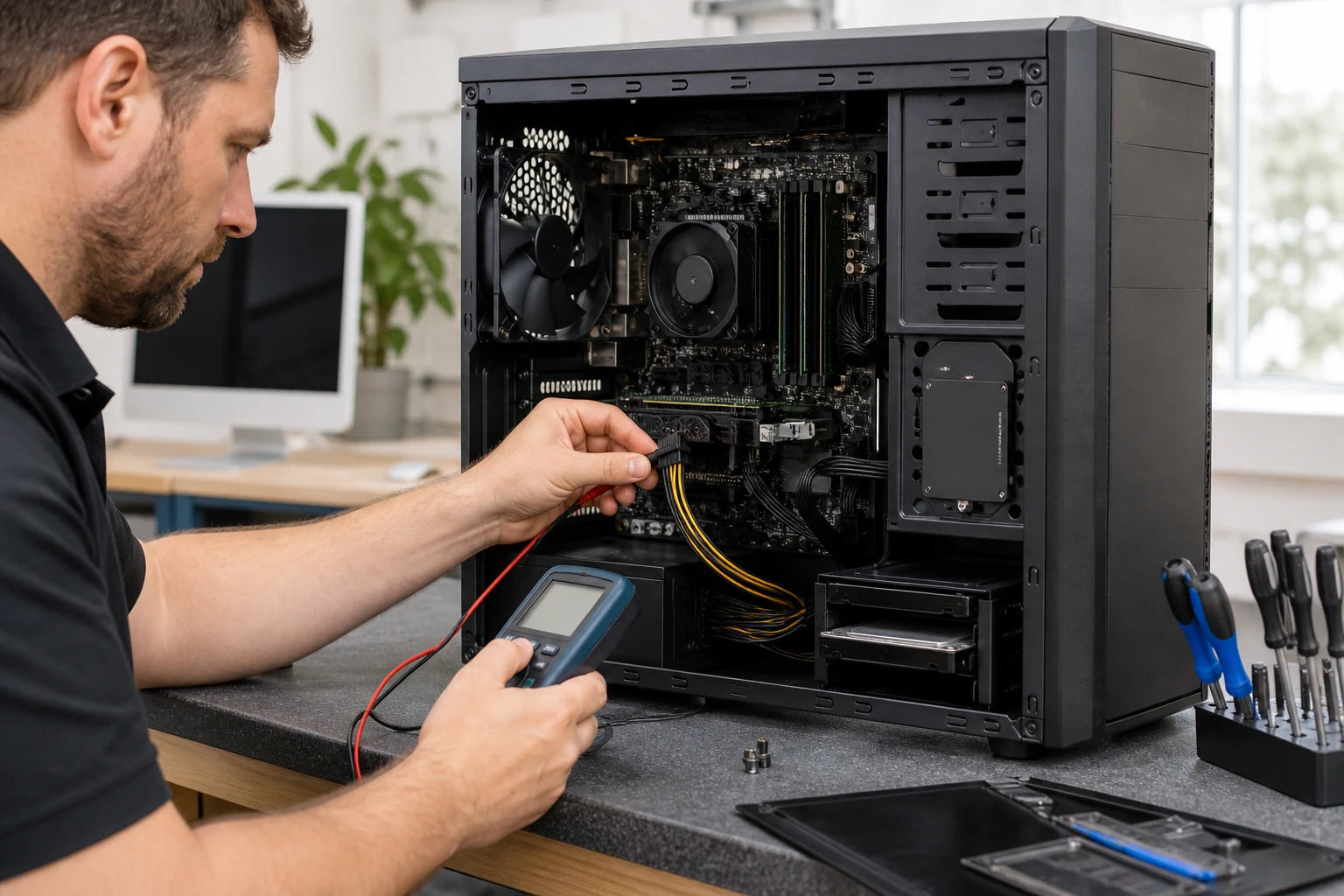
Answer first
What to know before choosing a repair
MoboPlus assesses supported desktop towers and computer systems for no power, no display, startup errors, blue screens, instability, overheating, storage, software and upgrade questions. Bring the tower and relevant accessories, explain the sequence of the fault and identify any data that must be protected.
01 · Stop before testing
Some desktop symptoms need power removed, not another restart
A burning smell, smoke, sparks, liquid, repeated electrical clicking or a mechanical drive making new grinding sounds can indicate a fault that worsens with continued power.
Switch off and disconnect the wall supply when safe. Do not open a power supply, move components while connected or keep rebooting a system that contains important data on a failing drive.
- Photograph the rear cable layout before disconnecting the tower.
- Record error text or diagnostic lights without repeating unsafe tests.
- Do not run cleanup or recovery software on a drive making abnormal mechanical noises.
- Tell MoboPlus whether files, business continuity or full performance is the priority.
- Keep small screws, adapters and removable storage clearly identified.
02 · Hardware or system
Use the startup sequence to narrow the fault domain
Where the process stops is useful evidence. The same black screen can originate from wall power, power supply, memory, graphics, monitor, storage or the operating system.
| What happens | Hardware clues | System or software clues |
|---|---|---|
| No lights, fans or response | Wall lead, switch, power supply, front button, motherboard power path or short circuit | Software is unlikely to be the first cause when the hardware never powers |
| Fans start but no picture appears | Monitor input, cable, graphics output, memory, GPU, motherboard or CPU startup checks | An operating-system fault is less likely if no firmware or logo screen appears |
| Logo appears but Windows does not load | Storage health, memory instability, temperature or failing peripheral may interrupt startup | Update, boot files, driver, encryption or operating-system corruption may be involved |
| Blue screen, freeze or random restart | Memory, storage, power delivery, cooling, GPU or another unstable component | Driver, update, malware or damaged system files require evidence rather than assumption |
| Slow, noisy or hot during use | Dust, fan, thermal interface, drive health, limited memory or component load | Startup load, storage pressure, background tasks, unwanted software or update state |
A diagnosis may cross both columns. Reinstalling Windows cannot repair failing storage or cooling, and replacing hardware cannot correct every software fault.
03 · Component paths
Test the subsystem that matches the evidence
Desktop computers are modular, but swapping parts without a baseline can hide an intermittent fault or introduce a compatibility problem.
Power and motherboard
Input power, supply behaviour, connectors, shorts, startup signals and board condition are considered before a power component is blamed.
Memory and stability
Boot behaviour, error pattern, module seating and repeatable memory testing help separate RAM from storage, software or board faults.
Storage and data
Drive health, capacity, interface, encryption and backup status matter before cloning, replacement, upgrade or operating-system work.
Graphics and display
Monitor, cable, selected input, integrated output, dedicated GPU, power connections and startup stage are checked in context.
Cooling and performance
Dust, airflow, fan operation, temperatures and workload evidence guide cleaning or cooling recommendations without promising a speed result.
Windows and startup
Boot configuration, updates, drivers, system files and unwanted software are reviewed only after the underlying hardware is sufficiently stable.
04 · Repair or change
A component repair, upgrade and replacement solve different problems
Choose according to the confirmed bottleneck, compatibility and remaining workload. A faster part does not correct an unrelated fault.
Repair the failed system
- Often fits when
- The desktop still suits its workload and diagnosis isolates a supported power, storage, cooling, memory, graphics or software fault.
- Check first
- Compatibility, adjacent damage, age of related components, data risk and the realistic result after repair.
Upgrade a stable system
- Often fits when
- The computer is reliable but storage, memory or another supported component limits a clearly defined task.
- Check first
- Motherboard support, power capacity, physical fit, operating system, backup and whether the workload will use the upgrade.
Replace or rebuild
- Often fits when
- Several core systems are failing or the platform cannot meet required software, security, connectivity or performance needs.
- Check first
- Data migration, application licences, peripheral compatibility and a verified backup before the old storage is retired.
05 · Prepare the visit
Bring the parts needed to reproduce the actual fault
The tower is usually central, but an intermittent cable, monitor, adapter or peripheral may be part of the evidence. Call first if the system is unusually large or integrated.
Hardware to consider
- Desktop tower or all-in-one system and its required power lead
- The monitor, video cable or adapter when the display path is uncertain
- A keyboard, Wi-Fi adapter or peripheral only when it triggers the issue
- Loose parts, screws or storage removed during a previous attempt
Information to bring
- Error messages, beep or light pattern and where startup stops
- Component changes, upgrades, overclocking or previous repair history
- Backup status, encryption details and files that must be preserved
- Approval boundaries for reset, reinstall, cloning or data transfer
06 · Diagnostic workflow
Establish a baseline before replacing or reinstalling
A documented sequence makes the result reviewable and helps avoid treating a symptom while leaving the underlying instability in place.
-
Record configuration and condition
Identify the system, installed components, ports, damage, dust, liquid signs and prior changes.
-
Reproduce the startup or workload fault
Observe where the sequence fails and collect safe power, display, temperature, storage or error evidence.
-
Isolate likely subsystems
Use appropriate known-good comparisons and diagnostics rather than changing several components at once.
-
Protect data and obtain consent
Explain any cloning, reset, reinstall or storage replacement before a step that could alter files.
-
Verify the agreed outcome
Check startup, stability, storage, temperatures, display and relevant ports according to the repair performed.
Quote clarity
Why the exact model and fault matter
We do not publish a made-up universal price. A useful quote depends on the device, part path, condition and what a careful assessment shows.
- Desktop form factor, configuration and component compatibility
- Confirmed hardware, storage or software cause
- Condition of related power, cooling and board components
- Data backup, encryption and consent requirements
- Whether the goal is repair, upgrade, cloning or system recovery
- Supported replacement part and availability
Questions answered
Desktop Computer Repair FAQ
Clear, conditional answers are more useful than promises that ignore the model or damage.
Why does my desktop turn on but show no picture?
The monitor input, cable, graphics output, memory, GPU, power connections, motherboard or startup process may be involved. Note whether a logo ever appears and bring relevant display cables rather than assuming the graphics card.
Should I bring the monitor, keyboard and cables?
Bring the tower and required power lead. A monitor, video cable, adapter, keyboard or peripheral is useful when it is part of an intermittent or display-specific symptom. Call first if you are unsure or have an all-in-one system.
Can a slow desktop be improved with an SSD or more memory?
Possibly, but only when diagnosis shows that storage or memory is the relevant limit and the platform is compatible. Heat, failing storage, background software or another hardware fault can create similar slowness.
Will Windows need to be reinstalled?
Not every startup or stability fault needs reinstalling. Hardware and storage should be sufficiently stable first. Any reset, reinstall or format that could affect files should be explained and approved after backup status is clear.
Can MoboPlus preserve my desktop files during repair?
Many component repairs do not intentionally erase storage, but faulty drives and software work carry risk. Bring backup and encryption information, and state that data preservation is the priority before diagnostics proceed.
Do you repair custom or gaming desktop PCs?
Supported custom and performance desktops can be assessed, but service depends on the configuration, fault, physical size, compatibility and available path. Provide the component list and any recent upgrades, firmware changes or tuning.
MoboPlus · Westgate
Bring the exact model and the full story of the fault
Shop 2/12 Maki Street, Westgate Shopping Centre, Massey, Auckland 0814- Monday–Saturday
- 10:00–18:00
- Sunday
- 10:30–17:00
Content reviewed 27 August 2026. Service and parts remain subject to exact-model assessment and availability.