
Focus on the actual camera fault
iPhone Camera Repair Auckland
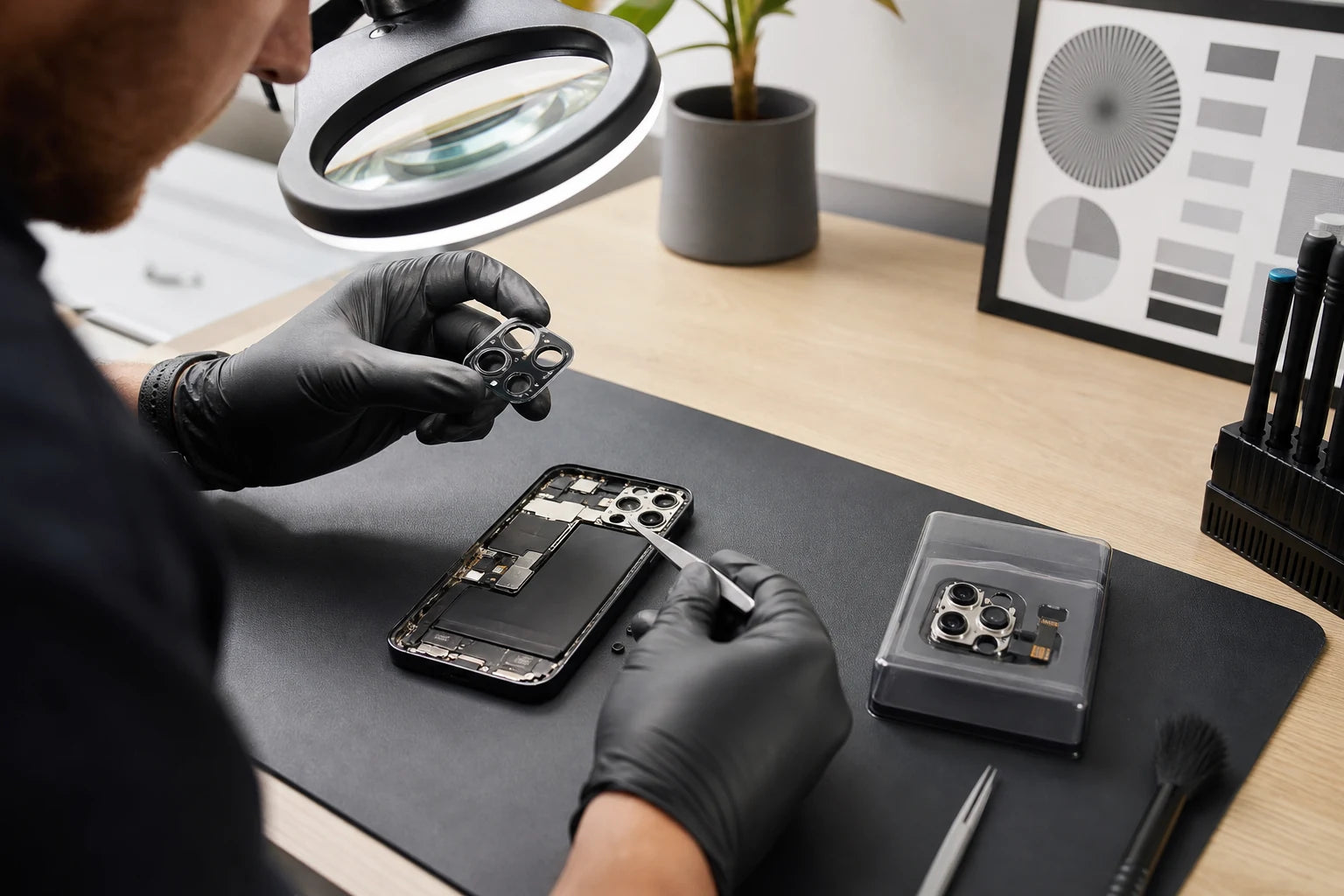
Blurred photos do not prove the camera module has failed. Fingerprints, a damaged external lens cover, a case, software, liquid, a loose connection and stabilisation damage can produce different image problems. MoboPlus tests the affected view before recommending replacement.
Answer first
What to know before choosing a repair
MoboPlus assesses iPhone front and rear camera faults in Westgate, Auckland. Bring examples of the blur, shake, black preview, focus failure or image artefact if available. We distinguish external lens damage, individual camera-module failure and wider impact or software causes before confirming supported work.
01 · Start with what the image does
Five camera symptoms that need different checks
Record whether the problem affects the front camera, one rear zoom level, every camera, video only or a third-party app. That detail can prevent an unnecessary module replacement.
Consistent blur or failed autofocus
Clean the external lens gently and remove any case or accessory that overlaps it. If one camera remains unable to focus at normal distances, the lens cover, focus mechanism or camera module may need assessment.
Shaking, buzzing or a swimming image
A stabilisation mechanism can be affected by impact or prolonged vibration. Note which zoom setting triggers it and whether the behaviour appears in both photo and video modes.
Black preview on one view
A black image can involve one camera module, a connection, software or broader impact damage. Switch between front and rear views and standard zoom choices without repeatedly forcing a frozen app.
Spots, flare, haze or fogging
Surface dirt, a cracked lens cover, material beneath the external glass or moisture can alter images. Compare shots against a plain bright background and note whether the mark moves when zoom changes.
Front camera or video-call problem
Test the built-in Camera app as well as the affected call app. The front camera sits near other sensitive components, so the repair scope must not be described as a simple universal module swap.
02 · Use a reproducible test
Symptom pattern to assessment route
Modern iPhones can have several rear cameras with separate roles. A fault at one zoom level may be isolated even when the Camera app appears normal at another.
| Observed pattern | Possible source | Useful test |
|---|---|---|
| One zoom level is black; others work | Individual rear camera or its connection | Compare each native camera view in photo and video |
| All camera apps fail after an update | Software, permission, storage or hardware issue | Restart, built-in Camera test, storage and update context before parts |
| Image changed immediately after a drop | Lens cover, stabilisation, module, connector or frame impact | Physical inspection plus focus, motion and image-sample comparison |
| Photos show a fixed dark spot | Lens contamination, cracked cover or material within the camera path | Clean exterior, compare lenses and photograph a plain bright surface |
| Camera works but flash does not | Flash, temperature, power state, software or related hardware | Check temperature and settings, then test flash independently |
03 · Replace only the failed layer
Lens cover, camera module or broader diagnosis?
The visible glass over a camera is not the imaging module beneath it. A correct recommendation states which layer is damaged and what evidence supports the choice.
External camera-lens-cover repair
- Often fits when
- The protective glass is cracked or missing while the camera still focuses and records normally after careful testing.
- Check first
- Dust or fragments may already be inside, and a hard impact can damage the module even if the external crack is the most obvious sign.
Camera-module-related repair
- Often fits when
- One camera has confirmed focus, stabilisation, image or availability failure that persists after software and exterior checks.
- Check first
- Model, camera position and expected system behaviour matter. Ask what will be tested and whether any service-history message may appear.
Software, connector or board assessment
- Often fits when
- Several cameras fail, the phone has liquid or severe impact damage, or the behaviour is linked to startup, power or other functions.
- Check first
- A camera replacement cannot resolve a permission, storage, power, board or unrelated connection issue.
04 · Evidence-led process
How an iPhone camera fault is assessed
Bring unedited example images or video when the fault is intermittent. Their metadata and zoom context can be more useful than a verbal description alone.
-
Confirm model and affected view
We identify the exact iPhone and ask whether the front camera or a particular rear view, zoom setting, app or mode shows the problem.
-
Inspect the exterior
Lens cleanliness, cover glass, cases, protectors, frame damage and moisture signs are checked before concluding that an internal module has failed.
-
Reproduce photo and video behaviour
Focus, image stability, view switching, flash and recording are compared. Intermittent faults are recorded when they can be reproduced.
-
Confirm the repair boundary
The likely failed layer, quote, availability, system expectations and risks from impact or liquid history are explained before supported work begins.
-
Repeat a defined test set
After repair, the original symptom is retested across relevant camera views, photo, video, focus and flash, with unrelated limitations noted separately.
05 · Camera collection checklist
Test the result in more than one camera mode
A single indoor snapshot can hide focus or stabilisation problems. Use a repeatable subject and check only features supported by the exact iPhone.
Image checks
- Switch through each available front and rear camera view.
- Focus on a near object and a distant object in good light.
- Record a short video while gently changing direction.
- Check for fixed spots, unexpected haze, severe flare or colour shift.
- Confirm saved images open normally in Photos.
Related checks
- Test flash separately where appropriate.
- Check the camera area for loose glass or an uneven gap.
- Try the affected video-call app after the built-in Camera app works.
- Ask about any remaining lens-cover, housing or liquid damage.
06 · Important limits
Camera compatibility and front-sensor claims must be specific
Apple explains that an unsuitable or improperly installed camera can affect focus, sharpness, Portrait behaviour and future software compatibility. Newer iPhones may also show Parts and Service History information depending on the component and repair process.
The front camera area is associated with other components and should not be marketed with a blanket promise that every selfie-camera replacement preserves or restores Face ID. Existing sensor damage, model design and the actual repair scope must be considered separately.
- Do not promise a specific parts-history message before confirming the repair route.
- Do not describe external lens glass and an internal camera as the same part.
- Back up important data even when the planned work is hardware-focused.
Quote clarity
Why the exact model and fault matter
We do not publish a made-up universal price. A useful quote depends on the device, part path, condition and what a careful assessment shows.
- Exact iPhone model and affected camera view
- Blur, shake, black image, spots, focus or flash symptoms
- External lens-cover, rear-glass or frame damage
- Liquid exposure, prior repair and software context
- Supported camera or lens route and part availability
Questions answered
iPhone Camera FAQ
Clear, conditional answers are more useful than promises that ignore the model or damage.
Does a blurry iPhone camera always need replacement?
No. A dirty or damaged external lens cover, case, protector, software issue, moisture or camera module can all cause blur. Clean the exterior safely and test the built-in Camera app before a module is recommended.
Why does my iPhone camera shake after a drop?
Impact can affect optical stabilisation, focus hardware, the lens cover, connector or frame. Note which camera and zoom level shake so the failing view can be isolated during assessment.
Is cracked camera glass the same repair as camera replacement?
No. The outer lens cover protects the opening; the imaging module sits beneath it. The cover can be damaged while the camera works, or the internal camera can fail without visible cover damage.
Will replacing a front camera restore Face ID?
That cannot be promised from the camera symptom alone. Face ID involves sensitive components and existing damage or repair history matters. The front camera and biometric fault need separate, model-specific assessment.
What examples should I bring for an intermittent camera problem?
Keep original photos or short videos that show the issue and note the zoom setting, app, lighting and whether the phone had recently been dropped, mounted on a vibrating object or exposed to liquid.
Where can I get an iPhone camera assessed in Westgate?
Visit MoboPlus at Shop 2/12 Maki Street, Westgate Shopping Centre, or contact us with the exact iPhone model and affected camera. Final repair scope may require in-person testing.
MoboPlus · Westgate
Bring the exact model and the full story of the fault
Shop 2/12 Maki Street, Westgate Shopping Centre, Massey, Auckland 0814- Monday–Saturday
- 10:00–18:00
- Sunday
- 10:30–17:00
Content reviewed 27 August 2026. Service and parts remain subject to exact-model assessment and availability.