
MacBook Air + Pro assessment · Westgate
MacBook Repair in Auckland
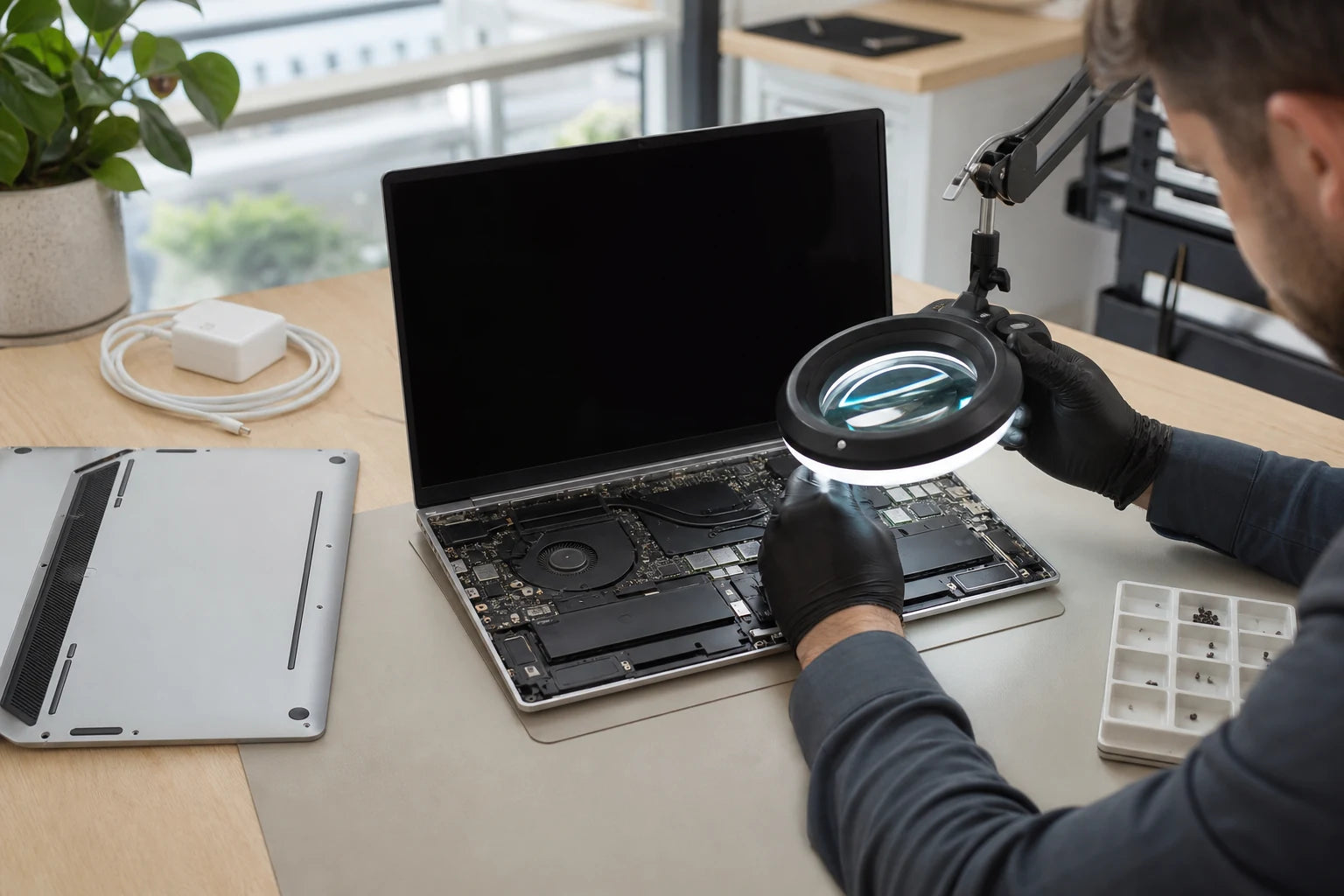
MacBook faults overlap: a blank display may be a screen or power-path problem, while no charging may involve the battery, adapter, port or logic board. MoboPlus starts with the model and symptom before discussing a repair route.
Answer first
What to know before choosing a repair
MoboPlus assesses MacBook Air and MacBook Pro faults in Westgate, Auckland, including display damage, battery symptoms, charging problems, liquid exposure, keyboard issues and computers that will not start. Service options depend on the model, coverage status, fault and available parts.
01 · Check coverage before paying for a repair
Independent assessment or Apple service route?
The best first step can change if the MacBook has active Apple coverage, a manufacturer programme or an out-of-coverage accidental fault. MoboPlus is not presented here as an Apple Authorised Service Provider.
Check Apple coverage first
- Often fits when
- The MacBook may still be covered by Apple warranty, AppleCare or an applicable Apple service programme, especially when there is no accidental damage.
- Check first
- Use Apple support to confirm eligibility and service terms. An independent repair may affect available manufacturer service options, so make the decision before work begins.
Request an independent assessment
- Often fits when
- The device is outside Apple coverage, has accidental damage, or you want a local diagnosis and explanation of practical repair paths.
- Check first
- Ask about the part type, testing, data considerations and what functions may depend on the model and repair method.
Prioritise data before normal repair
- Often fits when
- The MacBook contains irreplaceable files and will not start, has liquid damage or shows storage-related symptoms.
- Check first
- A quick reset or board swap may not align with data recovery. State the data priority before authorising troubleshooting.
02 · Match the page to the fault
Common MacBook problems need different diagnostic routes
This overview directs each problem to the right next question. It does not assume that every symptom can be solved by replacing the most visible component.
Cracked, lined or blank display
Physical cracks and ink-like patches usually point to display damage. A black, dim or intermittent screen can also involve the display cable, backlight circuit, liquid exposure, lid sensing or startup state.
Open the MacBook screen guideShort runtime or Service Recommended
Battery condition, cycle history and physical swelling matter, but charging hardware and software settings can create similar complaints. A raised case or touchpad needs prompt, careful handling.
Open the MacBook battery guideNot charging or only works on power
The adapter, cable, MagSafe or USB-C connection, battery and logic-board charging path should be considered together. Bring the usual adapter and explain whether every port behaves the same way.
Will not start or repeatedly restarts
No-power and boot-loop symptoms can involve power delivery, storage, firmware, peripheral damage, liquid corrosion or a board-level fault. Sounds, screen behaviour and recent changes provide useful clues.
Keyboard, trackpad or port fault
Input faults may be local to the assembly or related to liquid, battery swelling or connector damage. Avoid forcing ports and mention any prior spill, even if the MacBook continued working afterwards.
03 · Similar symptoms, different systems
A practical MacBook symptom map
MacBook components are highly integrated. The symptom map shows why model identification and system-level checks should come before a quote for a specific assembly.
| What you observe | What may be involved | What to tell the technician |
|---|---|---|
| Startup sound or trackpad response, but no image | Display assembly, cable, backlight, lid sensor or board display path | Whether an external display works and whether the image changes with lid angle |
| Battery warning with normal charging | Battery age, capacity, cycle history or software-reported condition | The exact warning and current macOS battery-health information |
| Charging works through only one port or angle | Cable, adapter, connector contamination, port wear or charging circuit | Which cable, adapter and ports have been tried without forcing them |
| Touchpad does not click and case is raised | Possible battery swelling beneath the top case | Stop charging and report the physical change rather than pressing it flat |
| Restarts, kernel panic or freezes under load | Software, storage, memory, thermal or board-level cause | Recent updates, connected devices and the workload that triggers it |
An exact diagnosis cannot be made from this table. It is designed to help describe the failure and avoid committing to the wrong assembly too early.
04 · From model identification to a tested outcome
What to expect from a diagnosis-led MacBook assessment
A clear handover and approval process is particularly important when a compact device can require significant disassembly to reach one component.
-
Confirm model and coverage context
The model identifier, approximate year, processor generation and current coverage status influence part compatibility and whether Apple service should be checked before independent work.
-
Record the fault and data priority
Explain the exact behaviour, recent damage and whether the files are backed up. If data is the priority, that decision should guide testing and any proposal involving storage, reset or board replacement.
-
Separate the likely systems
The assessment focuses on the relevant power, display, battery, input, thermal or startup path. The depth of inspection depends on the symptom and what can be tested without creating avoidable risk.
-
Review the repair path
Part type, availability, uncertainty and connected functions are explained before work is approved. Some display, top-case and board repairs have model-specific limitations that should be discussed directly.
-
Test the affected and adjacent functions
Post-repair checks should reflect the work: charging and battery recognition after power work; image, camera, brightness and hinge behaviour after display work; or keyboard and trackpad input after top-case work.
05 · Prepare without exposing more data than necessary
Before handing over a MacBook
Preparation protects the customer and gives the technician a reproducible description. Access requirements should match the agreed task rather than being assumed.
Identify the device
- Record the serial number and model details from About This Mac if the device starts
- Photograph the underside and visible damage when it does not start
- Bring the adapter and cable when charging or intermittent power is involved
Protect the account and files
- Create a current backup where the MacBook remains stable enough
- Ask what login access is needed for the specific diagnostic or final test
- Describe encryption, multiple user accounts or business-management controls that may block testing
Describe the failure accurately
- Write down the exact warning, startup behaviour and conditions that trigger it
- Disclose liquid exposure, impact and earlier repairs even when they seem unrelated
- State whether repair, data preservation or a fast decision is the highest priority
Quote clarity
Why the exact model and fault matter
We do not publish a made-up universal price. A useful quote depends on the device, part path, condition and what a careful assessment shows.
- Exact MacBook Air or Pro model, year and identifier
- Coverage status and whether Apple service should be checked first
- Whether the symptom is isolated to display, battery, charging, input or logic board
- Liquid, impact, enclosure or previous-repair damage
- Part type, compatibility and availability
- Data preservation or recovery requirements
- Additional faults discovered during inspection
Questions answered
MacBook Repair FAQ
Clear, conditional answers are more useful than promises that ignore the model or damage.
Does MoboPlus repair MacBook Air and MacBook Pro?
MoboPlus can assess common MacBook Air and MacBook Pro faults, but serviceability and parts depend on the exact model and failure. Send the model details and symptoms before assuming a screen, battery, top-case or logic-board repair is available.
Is MoboPlus an Apple Authorised Service Provider?
This page does not claim that MoboPlus is an Apple Authorised Service Provider. If the MacBook may be covered by Apple warranty, AppleCare or an Apple service programme, check Apple support and eligibility before authorising independent work.
Why does my MacBook turn on but show a black screen?
A black screen can involve the display assembly, cable, backlight or board-level display path, but it can also occur when the MacBook has not completed startup. Note sounds, trackpad response, external-display behaviour and whether lid angle changes the image.
What should I do after spilling liquid on a MacBook?
Switch it off and disconnect external power if safe. Do not keep testing keys, charging it, applying heat or putting it in rice. Record the liquid, location and time of the spill, then arrange an assessment. Surface dryness does not show whether liquid reached internal connectors.
Will MacBook repair affect my data?
Many component repairs do not intentionally change storage, but data can never be guaranteed by the repair itself. Back up first where possible and identify irreplaceable files before reset, restore, storage or logic-board work is considered.
MoboPlus · Westgate
Bring the exact model and the full story of the fault
Shop 2/12 Maki Street, Westgate Shopping Centre, Massey, Auckland 0814- Monday–Saturday
- 10:00–18:00
- Sunday
- 10:30–17:00
Content reviewed 27 August 2026. Service and parts remain subject to exact-model assessment and availability.