
Battery safety + charging diagnosis
Laptop Battery Replacement in Auckland
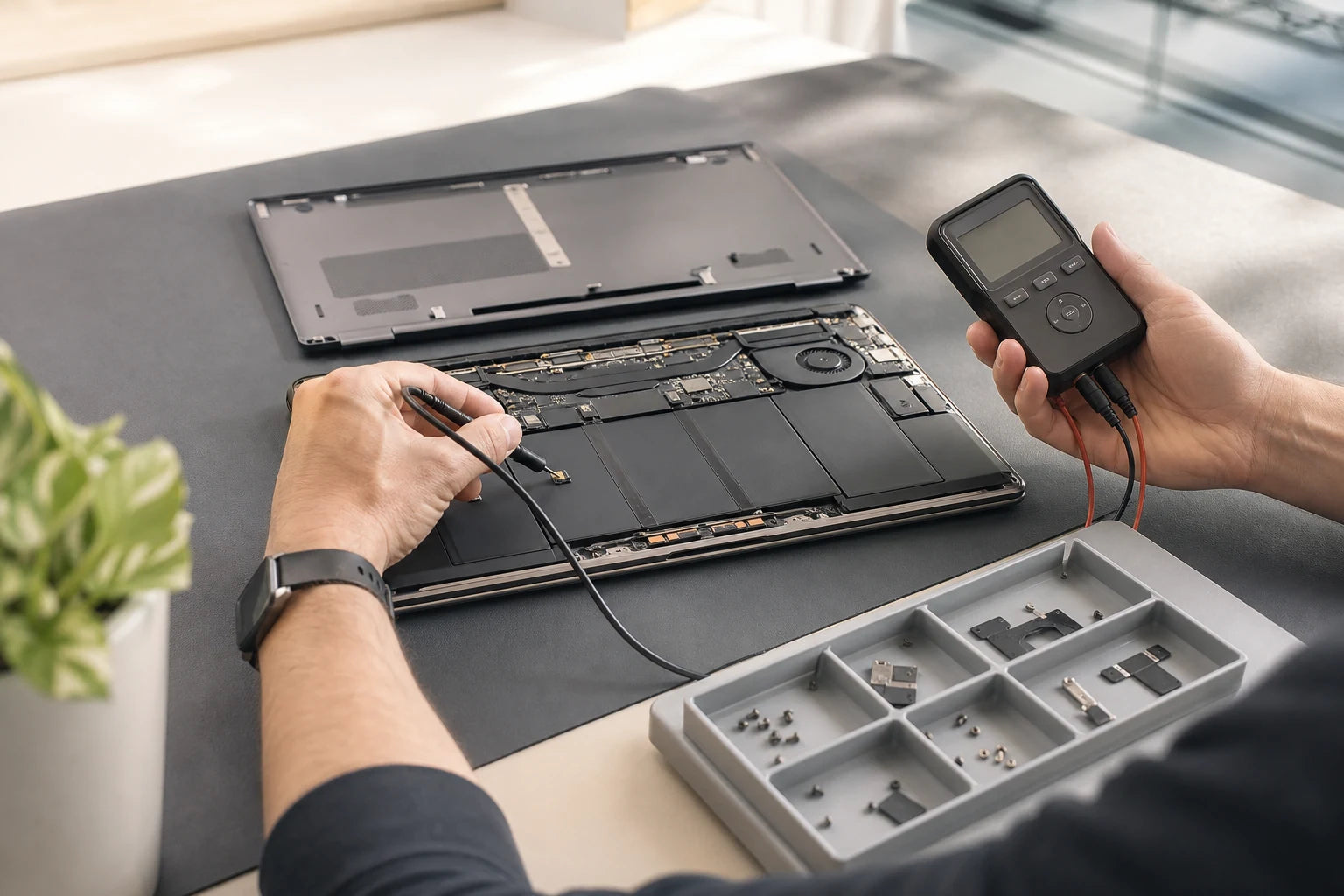
Short runtime can point to a worn battery, but a laptop that will not charge may instead have an adapter, connector, USB-C power-delivery or main-board fault. MoboPlus checks the symptom and exact model before confirming whether battery replacement is the appropriate repair.
Answer first
What to know before choosing a repair
MoboPlus assesses laptop battery and charging symptoms in Westgate, Auckland. Replacement may be appropriate for confirmed battery wear or failure, while no-charge and no-power complaints need the charger, port and charging path considered before a battery is ordered.
01 · Physical change is not normal wear
Stop using a laptop with a swollen battery
A raised touchpad, bowed keyboard, separated case or laptop that no longer sits flat can indicate battery swelling. Continuing to charge or compress the device can increase damage to the battery and surrounding components.
Switch the laptop off and disconnect the charger if that can be done safely. Do not press the case closed, pierce the battery area or attempt to remove a glued or swollen cell without suitable training and handling.
- Keep the laptop away from heat, direct sun and flammable clutter.
- Do not place a swollen or damaged lithium battery in household rubbish.
- Tell MoboPlus about heat, odour, leakage or physical distortion before transporting the device.
02 · Do not replace the battery by guesswork
Battery symptoms and other faults that can look similar
The table helps customers report useful evidence. It cannot confirm battery health remotely, especially when the laptop does not power on for testing.
| Symptom | Battery may be involved | Also check |
|---|---|---|
| Runtime has gradually become much shorter | Age, use and charge history can reduce usable capacity | Background workload, power mode, display brightness and heat |
| Laptop shuts down with charge still displayed | Battery voltage may fall unexpectedly under load | Software reporting, thermal shutdown and board-level power stability |
| Battery percentage never increases | Battery may not accept charge | Adapter wattage, cable, port, charging limit and charging circuit |
| Laptop works only when plugged in | Battery may be disconnected, failed or deeply discharged | Battery connector, firmware recognition and internal power path |
| Charger connects only at one angle | Usually not explained by battery wear alone | Loose DC jack, damaged USB-C port, cable or solder connection |
| Case or touchpad is lifting | Possible swollen battery requiring prompt assessment | Stop charging; do not force the enclosure flat |
A battery replacement cannot repair an underpowered adapter, broken charging port or failed charging circuit. Those causes should be discussed when the symptom is “not charging” rather than simply “short runtime”.
03 · Build a useful battery history
What to check before requesting replacement
Simple observations help distinguish normal workload variation from a repeatable battery or charging fault. Do not continue testing if the case is swollen or unusually hot.
Runtime pattern
- Compare similar everyday work rather than a light task with gaming or video export
- Note whether shutdowns happen at a repeatable percentage or only under heavy load
- Record whether the fault began gradually, after storage, after a fall or after liquid exposure
Charging behaviour
- Use the correct charger and note its wattage, connector and any indicator light
- Check whether every supported charging port behaves the same way without forcing the plug
- Record system messages such as “plugged in, not charging” or an unrecognised adapter
Model and physical condition
- Provide the complete laptop model or product number
- Look for case separation, touchpad pressure, heat, odour or unusual sounds
- Mention earlier battery replacement, main-board work or use of a different charger
04 · A replacement should solve a confirmed problem
How laptop battery assessment and replacement should proceed
Battery construction varies from externally removable packs to thin internal cells attached beneath the keyboard deck. The exact model determines access and handling.
-
Confirm the device and charger
Identify the laptop revision, current battery information and correct power adapter. Similar model names can use different voltages, connectors, mounting points and communication electronics.
-
Check the reported battery behaviour
Where safe and practical, charging response, recognition, runtime symptoms and physical condition are assessed. No-charge faults should include the adapter and charging input rather than testing the battery in isolation.
-
Confirm the appropriate part and scope
Compatibility and availability are checked for the exact model. A distorted case, damaged connector or charging-circuit fault may require a different or wider repair discussion.
-
Replace with safe handling
The approved battery is accessed and installed using a method suitable for that design. A swollen cell requires extra care and should not be bent, punctured or treated as ordinary waste.
-
Verify charging and operation
Post-fit checks focus on battery recognition, charging response, startup and the original complaint. A short bench check cannot promise a universal runtime because workload and power settings remain significant.
05 · Choose the action that matches the evidence
Monitor, replace the battery or investigate charging?
Not every reduction in runtime needs immediate replacement, but physical swelling and sudden instability deserve prompt attention.
Monitor and adjust usage
- Often fits when
- Runtime is still adequate, there is no swelling or shutdown, and the difference follows heavier apps, brightness or power settings.
- Check first
- Track the same workload over time. Rapid deterioration, heat or unexpected shutdowns changes the decision.
Assess for battery replacement
- Often fits when
- Short runtime, repeated shutdowns, failed recognition or physical swelling point to the battery and the rest of the laptop remains useful.
- Check first
- Confirm the exact model, part, enclosure condition and total service scope before approving replacement.
Investigate the charging system
- Often fits when
- The plug is loose, only one port works, the charger is unrecognised or a known-good compatible adapter produces the same no-charge symptom.
- Check first
- Replacing the battery alone may leave an adapter, port or main-board charging fault unchanged.
Quote clarity
Why the exact model and fault matter
We do not publish a made-up universal price. A useful quote depends on the device, part path, condition and what a careful assessment shows.
- Complete laptop model, product number and current battery identification
- Internal, removable, bonded or otherwise model-specific battery construction
- Battery wear versus charger, port or main-board charging fault
- Swelling or damage to the case, keyboard and touchpad
- Compatible battery availability
- Prior repair, liquid exposure or connector damage
- Additional charging-system diagnosis required
Questions answered
Laptop Battery Replacement FAQ
Clear, conditional answers are more useful than promises that ignore the model or damage.
How do I know whether my laptop battery needs replacement?
Common signs include substantially shorter runtime during the same workload, unexpected shutdowns, failure to run unplugged, battery recognition errors or physical swelling. No-charge symptoms also require the charger, port and charging circuit to be considered.
Is a swollen laptop battery dangerous?
A swollen lithium battery should be treated as a safety concern. Stop using and charging the laptop, do not press the case flat or puncture the battery area, keep it away from heat and arrange appropriate assessment and disposal advice.
Why is my laptop plugged in but not charging?
Possible causes include battery failure, an incorrect or underpowered adapter, damaged cable, worn DC or USB-C port, software charging limit or main-board charging fault. Replacing the battery without checking those areas may not solve the complaint.
What information is needed to find the correct laptop battery?
Provide the complete laptop model or product number and, where it can be read safely, the installed battery model. Do not open a swollen device solely to find a label. Closely related laptop revisions can use different batteries.
Will a new battery give a fixed number of hours?
No universal runtime can be promised. Battery specification, processor and graphics load, display brightness, wireless use, software and temperature all affect how long a charge lasts. Compare the same workload and settings when evaluating performance.
Will battery replacement affect my files?
Battery work normally does not intentionally change storage, but power or storage faults can coexist and every device should be backed up where possible. Save important files before service and identify any data priority at handover.
How long does laptop battery replacement take?
Timing depends on diagnosis, exact battery availability, access method, swelling and surrounding damage. An externally removable business-laptop battery and a bonded internal battery do not have the same service path.
MoboPlus · Westgate
Bring the exact model and the full story of the fault
Shop 2/12 Maki Street, Westgate Shopping Centre, Massey, Auckland 0814- Monday–Saturday
- 10:00–18:00
- Sunday
- 10:30–17:00
Content reviewed 27 August 2026. Service and parts remain subject to exact-model assessment and availability.