
Act safely before corrosion spreads
Phone Liquid Damage Repair Auckland
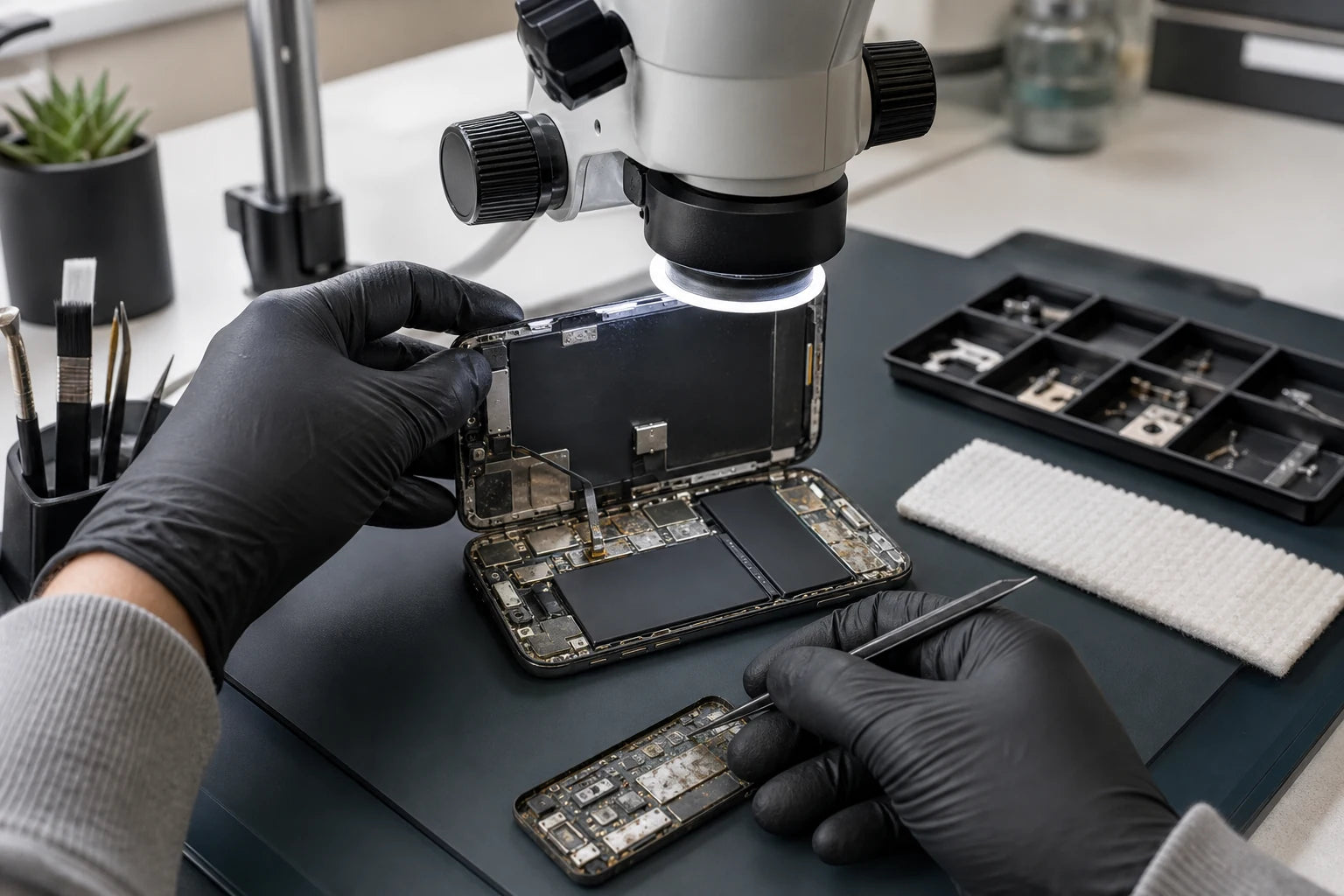
Liquid damage changes over time. Liquid type, power state and charging attempts influence the outcome. First stop adding electrical or heat damage; then define whether phone function, data or both matter most.
Answer first
What to know before choosing a repair
For a wet phone, disconnect cables, stop charging and power it off if safe. Do not use rice, heat, compressed air or objects in the connector. MoboPlus assesses liquid-related symptoms in Westgate, but repair and data outcomes cannot be promised before inspection.
01 · Do this now
The first minutes after liquid exposure
Unplug the cable from the phone and power source. If the phone is on and can be switched off without repeatedly touching a failed display, turn it off. Remove an external case if it comes away easily and does not disturb broken glass or a swollen device. Let surface liquid drain with the connector facing down and keep the phone in a dry place with airflow.
Do not repeatedly press the power button to see whether it still works. Do not charge it to test it. Electrical current can accelerate damage when moisture or conductive residue bridges components. A phone that appears normal after drying can still develop corrosion-related faults later.
- Disconnect wired power and accessories immediately.
- Do not override a liquid-detection warning unless a genuine emergency justifies the risk.
- Keep the phone away from heat, sparks and combustible material if it becomes hot or swollen.
- Record the liquid type, time, duration and any charging or power attempts.
02 · Avoid popular myths
Safe actions and damaging shortcuts
Drying the outside is not the same as removing conductive residue from inside. Coffee, salt water, soft drink and soapy water can leave material after visible moisture has gone.
Useful actions
- Keep the device unpowered and disconnected.
- Allow dry airflow around the phone without external heat.
- Bring the cable too if it was wet or caused an alert.
- Tell us whether the phone contains data with no backup.
- Seek assessment promptly when the phone is important or symptoms begin.
Do not do this
- Do not place the phone in rice.
- Do not use a hair dryer, oven, heater or direct sun.
- Do not blow compressed air into openings.
- Do not insert cotton, paper, pins or tools into the connector.
- Do not keep charging or restarting to check progress.
03 · Tell us what entered the phone
Liquid type and symptom change the risk
No liquid exposure is predictable, but the following distinctions help set assessment priorities and explain why a simple drying wait may not be enough.
| Exposure or symptom | Why it matters | Assessment priority |
|---|---|---|
| Fresh water splash; phone remains stable | Moisture may be limited, but seals and openings vary | Disconnect, dry with airflow and watch for alerts or delayed faults |
| Coffee, soft drink or soapy water | Residue can remain conductive or corrosive after water evaporates | Keep unpowered and disclose the liquid composition promptly |
| Sea water or salty liquid | Salt is highly conductive and corrosive | Treat as urgent; do not power or charge for testing |
| Liquid alert only at the connector | Phone or cable end may still be wet | Follow manufacturer airflow guidance and assess if the alert persists |
| Phone worked, then camera/audio/charging failed later | Corrosion or residue may be progressing internally | Record the timeline and assess multiple affected systems |
| No power after liquid exposure | Battery, connector, display, board or several systems may be involved | Choose device-function versus data-first goal before repair attempts |
04 · A staged investigation
What liquid-damage assessment can establish
Liquid cases often cannot be quoted like a known broken screen. Inspection may reveal corrosion, damaged components and additional work that was invisible at intake.
-
Document the exposure
We record liquid type, time, submersion or splash, power state, charging attempts, symptoms and whether important data lacks a backup.
-
Assess external condition and safety
Connector, display, frame, battery signs and visible residue are checked before any attempt to power or open the phone.
-
Inspect for internal evidence where appropriate
Supported assessment can identify moisture, residue, corrosion and affected areas. Visible contamination does not by itself predict repair success.
-
Separate cleaning from component repair
Cleaning may remove contamination but cannot restore a component already electrically or chemically damaged. Additional parts or board-level work may be needed.
-
Retest and explain remaining uncertainty
If function is restored, charging, display, cameras, sound, connectivity and stability are checked where possible. Liquid-damaged electronics can still have delayed or intermittent faults.
05 · Define success before work
Restore the phone, recover the data or replace the device?
The best technical route changes with the customer’s priority. State the goal at intake so a repair attempt does not work against a data-first plan.
Attempt normal device function
- Often fits when
- Assessment shows a realistic supported repair path and the phone is otherwise suitable for continued use.
- Check first
- Several components may be affected and long-term stability cannot be guaranteed simply because the phone powers on after treatment.
Prioritise important data
- Often fits when
- Photos, messages or business information have no backup and matter more than returning the device to everyday use.
- Check first
- Say this before replacement or reset attempts. Data recovery feasibility depends on storage, encryption and board condition and cannot be promised in advance.
Replace the phone after protecting data
- Often fits when
- Damage spans several systems, reliable continued use is doubtful or the confirmed repair path is not economic for you.
- Check first
- Use an available cloud or computer backup, or discuss data assessment first. Do not keep a corroded phone as the only copy of important files.
06 · Honest outcomes
What no liquid-damage page should promise
Liquid exposure produces uncertainty that should be visible in the content, quote and repair record. Strong guarantees are not a substitute for evidence.
No guaranteed success rate
Two phones exposed to the same liquid can have different seal condition, power state, contamination path and damaged components. An advertised percentage cannot predict an individual device.
Cleaning is not the same as repair
Removing residue can support assessment and reduce contamination, but it cannot regenerate corroded contacts or failed electronic parts.
Powering on is not proof of lasting reliability
Intermittent and delayed faults can remain. Maintain a current backup and avoid relying on a previously liquid-damaged phone as the sole store of important information.
Data recovery is a separate objective
Recovering files may require a different strategy from making every phone function work. Feasibility depends on the storage and board state, security and available access.
Quote clarity
Why the exact model and fault matter
We do not publish a made-up universal price. A useful quote depends on the device, part path, condition and what a careful assessment shows.
- Phone brand, exact model and model code
- Liquid type, exposure time and whether it was submerged
- Power and charging attempts after exposure
- Current symptoms, corrosion and affected systems
- Priority of device function versus data and required assessment scope
Questions answered
Liquid Damage Repair FAQ
Clear, conditional answers are more useful than promises that ignore the model or damage.
Should I put a wet phone in rice?
No. Rice does not remove internal contamination and small particles can enter connectors. Leave the phone in a dry area with airflow, keep it disconnected and follow the manufacturer’s safety guidance.
Can I charge my phone to check whether it survived?
Do not connect wired power while the phone or connector may be wet. Current through moisture or residue can corrode contacts and cause permanent damage. Arrange assessment instead of repeated tests.
My phone works after drying; does it still need attention?
It may. If the exposure was more than a light splash, involved salt or sugary liquid, triggered alerts or caused any later symptom, residue and corrosion can remain. Back up immediately and consider assessment.
Can liquid-damaged phone data always be recovered?
No. Feasibility depends on the storage, encryption, board condition, prior power attempts and available access. State that data is the priority at intake and do not authorise resets or unrelated work first.
Does internal cleaning guarantee a phone is fixed?
No. Cleaning can remove contamination but cannot reverse every damaged connector, component or board trace. Further repair may be needed, and delayed faults can remain even after initial function returns.
Where can I take a wet phone in West Auckland?
MoboPlus is at Shop 2/12 Maki Street, Westgate Shopping Centre. Keep the phone disconnected and contact us with the model, liquid type, time and current symptoms before travelling if possible.
MoboPlus · Westgate
Bring the exact model and the full story of the fault
Shop 2/12 Maki Street, Westgate Shopping Centre, Massey, Auckland 0814- Monday–Saturday
- 10:00–18:00
- Sunday
- 10:30–17:00
Content reviewed 27 August 2026. Service and parts remain subject to exact-model assessment and availability.