
Apple iPad assessment · Westgate Auckland
iPad Repair Auckland
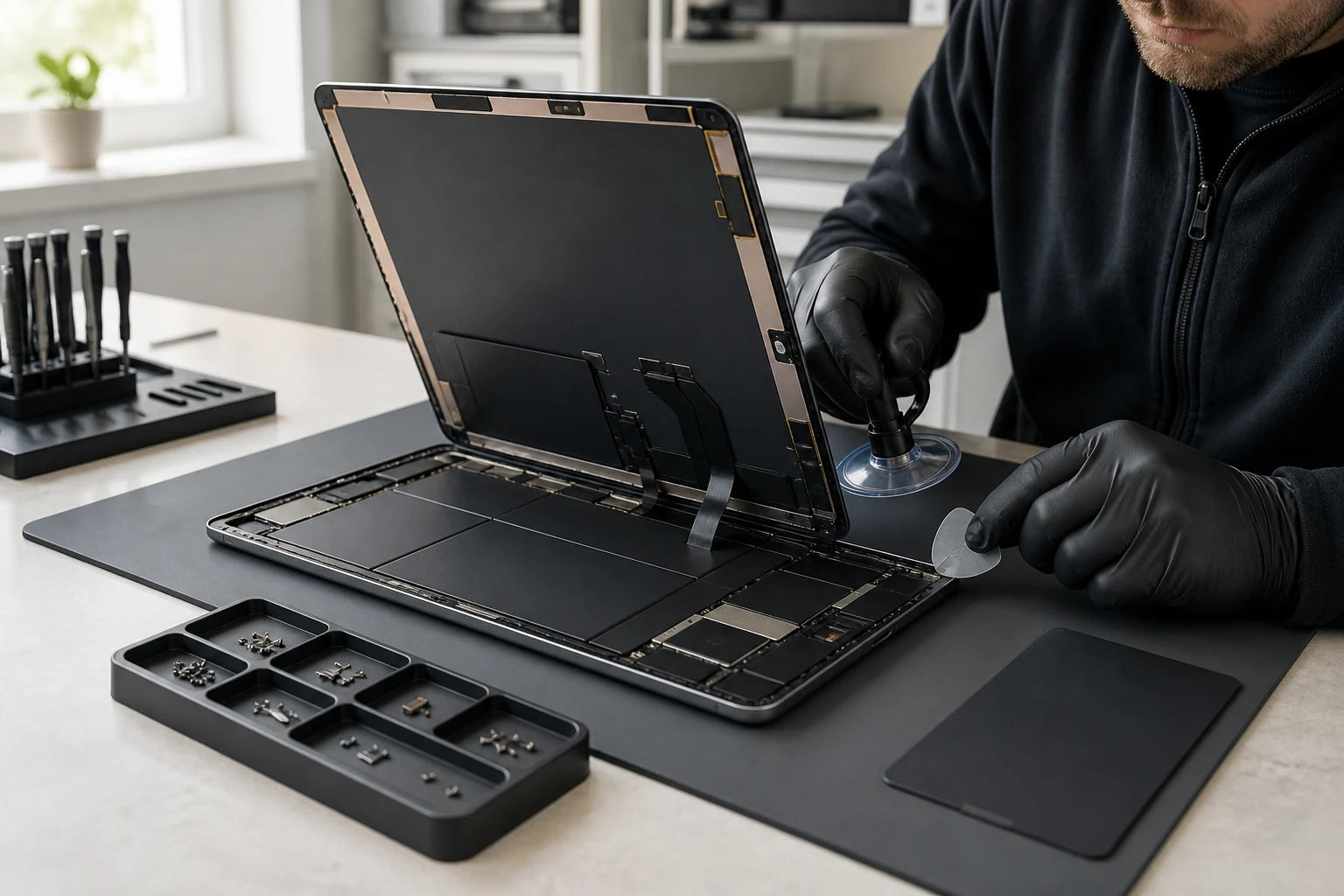
iPad generations can look almost identical while using different display assemblies, batteries, connectors and feature pairings. The exact model and the functions affected must be understood before a repair option is discussed.
Answer first
What to know before choosing a repair
MoboPlus assesses supported iPad models for cracked or faulty displays, touch input, battery and charging problems, buttons, cameras, audio, software, liquid and selected board-level faults. Model, warranty status, device condition, data priorities and parts support determine the appropriate route.
01 · Identify the model
A product family name is not enough for iPad parts
Record the model before comparing repair choices. Storage, cellular capability and physical size may also help distinguish variants that share a familiar marketing name.
-
Check Settings when the iPad works
Open the device information area and record the model name and model number before shutting down for service.
-
Check the rear model marking
If the screen does not work, look for the small A-number on the rear enclosure and photograph it clearly.
-
Use account or purchase records
The Apple account device list, original box or invoice may identify an iPad that cannot be powered safely.
-
Record connected accessories
Note the Apple Pencil, keyboard, charger or adapter involved because accessory compatibility can narrow the model and fault.
-
Check Apple service coverage
If AppleCare or manufacturer service may apply, compare the official service route before authorising independent work.
02 · Read the symptom
Glass, image and input failures are not interchangeable
Impact can affect the outer surface, touch sensing, display, frame, cameras or board. Battery and charging symptoms can also mimic one another.
| Observed behaviour | Questions that change the path | Assessment focus |
|---|---|---|
| Crack with normal image and touch | Which model, where the crack starts, whether the frame is bent and whether the layers are bonded | Glass, digitiser or full display path according to the exact iPad construction |
| No touch, ghost touch or Pencil input problem | Does finger input work, does the issue affect the whole screen and did it begin after impact or a previous repair | Touch layer, display assembly, connector, accessory or software behaviour |
| Lines, black areas, dim image or no display | Does the iPad make sounds or connect, and is there pressure or frame damage | Display panel, backlight or power and board path rather than outer glass alone |
| Fast drain, shutdown, heat or lifting screen | Age, recent update, charge pattern, background activity and physical swelling | Battery condition, software load, charging system and enclosure safety |
| Loose connector or no charge | Lightning or USB-C, known-good accessories, debris, liquid, cable angle and computer connection | Accessory, port, battery or deeper charging circuit diagnosis |
Do not press a lifted display closed or continue charging an iPad that appears swollen, wet or unusually hot.
03 · Model-specific scope
Protect the features connected to the failed part
A responsible repair discussion covers the target component and neighbouring functions. Availability and feature behaviour vary by generation.
Display and touch assembly
Image, touch, glass, frame and connector condition are assessed together; the exact layer or assembly cannot be chosen from screen size alone.
Battery and enclosure
Runtime, shutdown, heat, charge response and any enclosure lifting guide whether battery service is a plausible path.
Lightning or USB-C charging
Accessories, debris, connector fit, data connection and power response are checked before a port or circuit fault is concluded.
Home button and biometric features
Home button, Touch ID and Face ID implications depend on the generation and damage. No feature-retention promise should be made before assessment.
Cameras, microphones and speakers
Video calls, recording, focus and audio faults can involve modules, openings, connectors, software or prior liquid exposure.
Startup, liquid and board faults
Boot loops, no power, corrosion and board-level cases require deeper diagnosis with data priorities stated at the beginning.
04 · Choose the route
Coverage, device value and fault type shape the service choice
Apple service, independent assessment and replacement serve different situations. Check the facts before choosing on price or speed alone.
Apple or authorised service
- Often fits when
- The iPad may be covered by Apple warranty, AppleCare or another official service entitlement.
- Check first
- Confirm coverage, service terms, data preparation, the quoted option and whether the route repairs or replaces the device.
MoboPlus assessment
- Often fits when
- You want a local Westgate assessment of a supported out-of-coverage or otherwise suitable iPad fault.
- Check first
- MoboPlus does not imply Apple-authorised status; ask about the exact model, supported part path, feature implications and quote.
Replacement and data transfer
- Often fits when
- Several major systems are damaged or the iPad no longer supports the apps, accessories or security needed for its job.
- Check first
- Confirm the backup and account access before assuming all local or cloud data can be moved.
05 · Before service
Protect data and document the features that still work
Complete only safe steps. A stable backup and a record of existing function make the repair decision clearer, but a wet or swollen device should not be powered for preparation.
Data and ownership
- Create and verify a current backup if the iPad operates reliably
- Know the Apple Account details needed for your chosen service route
- Remove SIM cards and note cellular service where relevant
- Tell MoboPlus if access to specific files is more important than full repair
Function record
- Check touch across the screen without pressing damaged glass
- Record whether cameras, speakers, microphones and buttons work
- Note Apple Pencil or keyboard behaviour and bring the affected accessory
- Photograph cracks, frame bends and existing cosmetic damage
06 · Assessment process
Confirm the failure, the constraints and the relevant tests
The goal is not to replace the first part suggested by the symptom. It is to connect the reported problem with the exact model and condition.
-
Record model and incoming condition
Document the enclosure, display, connectors, cameras and prior repair signs before discussing a part.
-
Check the reported function
Test image, touch, charging, battery behaviour or startup only where the device condition makes that safe.
-
Identify linked risks
Explain frame damage, feature pairing, liquid, data or board involvement that may affect the result or work sequence.
-
Confirm option and quote
Base the proposal on the model, supported part, condition and availability, then obtain approval before work.
-
Test the repaired path
Verify the relevant display, touch, charging, cameras, audio, buttons or wireless functions and disclose any remaining issue.
Quote clarity
Why the exact model and fault matter
We do not publish a made-up universal price. A useful quote depends on the device, part path, condition and what a careful assessment shows.
- Exact iPad family, generation, size and cellular variant
- Whether glass, touch and display are separate or bonded
- Frame condition and damage to adjacent sensors or controls
- Battery, port, liquid or board involvement
- Data and feature-preservation requirements
- Supported part option and availability for the model
Questions answered
iPad Repair FAQ
Clear, conditional answers are more useful than promises that ignore the model or damage.
How do I identify my exact iPad model?
Use the device information in Settings when the iPad starts, or record the small A-number on the rear enclosure. The Apple account device list, original box or purchase record can also help when the screen is unusable.
Can only the cracked iPad glass be replaced?
That depends on the exact generation and whether glass, touch and display are separate or bonded. The image, touch response, frame and impact damage must be assessed before a glass-only or full-assembly path can be discussed.
Does an iPad that will not charge always need a new port?
No. Accessories, debris, connector damage, battery condition, liquid corrosion and deeper charging circuitry can create similar symptoms. Bring a relevant charger and describe known-good tests rather than assuming the port.
Should I use Apple service or an independent repair shop?
Check Apple warranty or AppleCare coverage first. Compare the official service terms with the supported MoboPlus option, data preparation, feature implications and quote. MoboPlus does not present this page as Apple-authorised service.
Can Touch ID, Face ID or Apple Pencil be affected by repair?
The answer depends on the model, failed part, existing damage and repair path. Record which features work before service and ask about model-specific implications. No biometric or accessory function should be guaranteed before assessment.
Will an iPad repair erase my data?
Many physical repairs do not intentionally erase data, but a failing device always carries risk and some software paths may require reset or restore. Back up a stable iPad and approve any data-affecting step separately.
MoboPlus · Westgate
Bring the exact model and the full story of the fault
Shop 2/12 Maki Street, Westgate Shopping Centre, Massey, Auckland 0814- Monday–Saturday
- 10:00–18:00
- Sunday
- 10:30–17:00
Content reviewed 27 August 2026. Service and parts remain subject to exact-model assessment and availability.