
Stop damage · define the data priority · assess scope
Device Data Recovery Auckland
Data recovery is not one technique. Dead phones, deleted files, clicking hard drives, undetected SSDs and liquid-damaged boards have different risks and realistic paths.
Answer first
What to know before choosing a repair
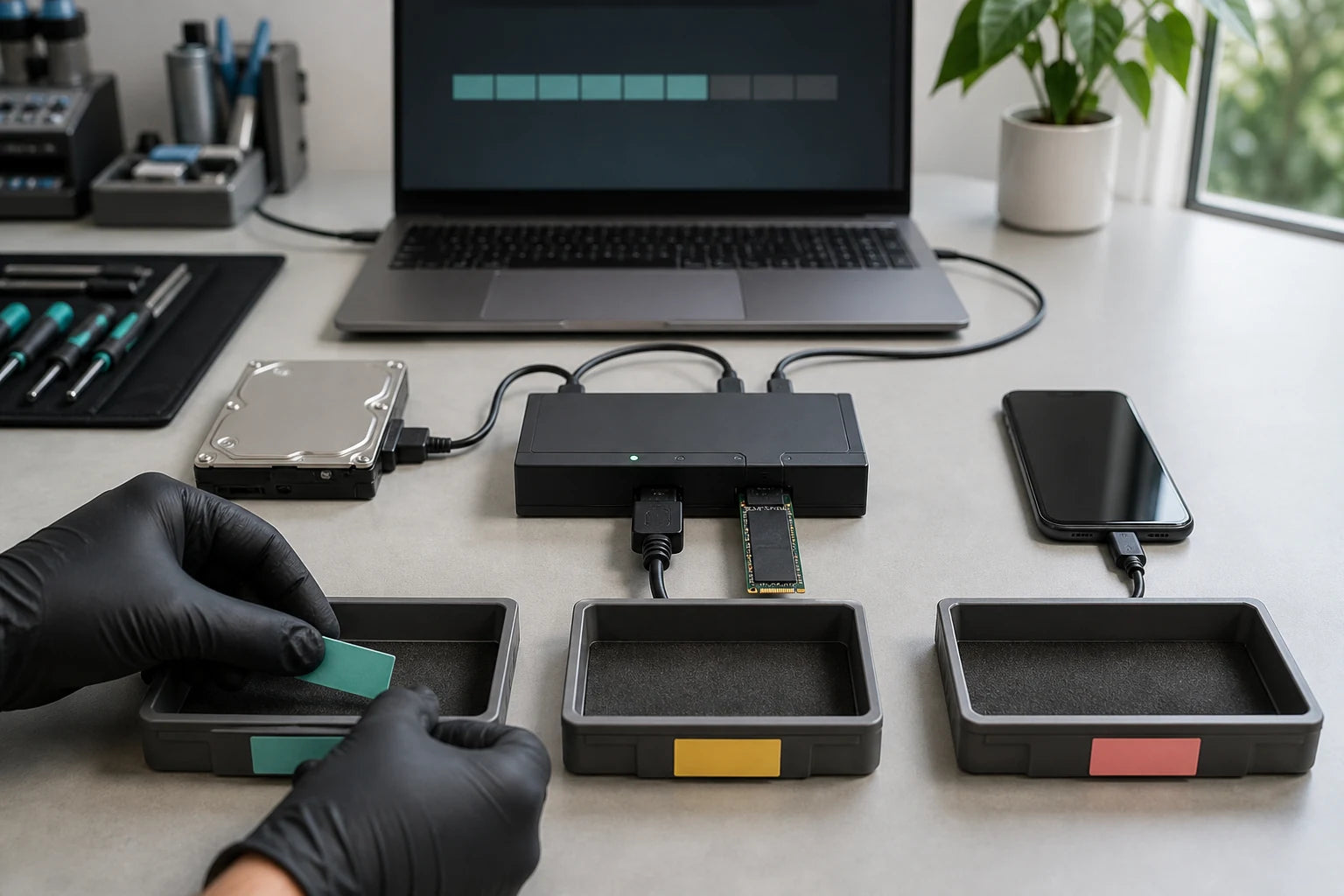
Stop unnecessary power attempts and writes when data becomes inaccessible. MoboPlus can assess supported device, storage, startup and board cases in Westgate and identify when a specialist is safer. Recovery cannot be guaranteed. The next step depends on the media, failure, encryption and whether further power could make the damage worse.
01 · Immediate damage control
The next attempt can matter more than the last failure
Avoid experiments that write to the affected storage or repeatedly stress failing hardware. Continued use may overwrite deleted information or worsen physical damage.
Disconnect a drive that clicks, grinds, disappears or becomes abnormally hot. Power off a wet, swollen or unstable device when safe, record what happened and seek advice before running repair, reset or recovery utilities.
- Do not install recovery software onto the same drive that lost the files.
- Do not initialise, format, reset or update a device as a first test.
- Do not keep spinning a hard drive that has new mechanical noises.
- Do not charge a liquid-damaged phone or tablet to check whether the files return.
- Do not open a hard drive outside a proper specialist environment.
- Write down the file types, folders, dates and business or personal priority.
02 · Classify before acting
Logical, device-level and physical failures need different paths
The phrase data recovery hides important differences. Identify the likely failure class and when specialist tools or controlled handling are required.
| Situation | Risk and first questions | Responsible service boundary |
|---|---|---|
| Files deleted or storage formatted but device is stable | New writes may overwrite recoverable information; ask what changed, when and whether sync or backup exists | Stop using the affected volume; logical recovery suitability depends on storage type, encryption and later writes |
| Computer will not start but drive has no physical symptoms | The operating system, enclosure, board or another component may have failed while storage remains readable | Assess device and storage separately; clone or copy only with an agreed destination and data priority |
| Hard drive clicks, grinds, was dropped or is not detected | Repeated spinning may worsen head, media, motor or electronic damage | Stop power attempts; specialist physical-drive assessment may be safer than routine computer repair |
| SSD, NVMe or flash storage suddenly disappears | Controller, firmware, power, memory wear, encryption and platform integration may limit access | Do not assume consumer software or board repair can recover the files; specialist capability may be required |
| Phone or tablet is wet, broken, locked or will not power | Modern encryption, passcode access, storage pairing and board condition shape every option | Device-level repair may restore access in selected cases; deletion or forensic work is a separate specialist service |
A referral is a responsible outcome when the required recovery method, environment or evidence handling is outside the confirmed MoboPlus service scope.
03 · Media and access
State the device, storage and desired files precisely
Each category has different limits. This page does not claim a clean room, forensic laboratory, chip-off service or success rate.
Phone and tablet access
A damaged display, charging path or board may sometimes be assessed to restore temporary access, subject to encryption, passcode and device condition.
Laptop and desktop storage
The computer fault and storage fault should be separated before copying, cloning, replacing a drive or reinstalling an operating system.
External hard drives
Connection, enclosure and logical issues differ from internal mechanical damage. New noises, impact or repeated disconnects are reasons to stop powering.
SSD and NVMe media
Solid-state failures may involve power, controller, firmware, wear, encryption or integrated storage and can require specialist capability.
USB and memory cards
Bent connectors, controller faults, corruption and deletion have different prospects; do not write new photos or files to the affected media.
Cloud and existing backups
Before risky hardware work, verify account access, sync state, previous device backups and whether the needed version already exists elsewhere.
04 · Service boundaries
Choose the least risky route that matches the failure
The most advanced-looking option is not automatically the right one. Start with reliable evidence and preserve escalation choices.
Restore from a verified backup
- Often fits when
- The required files and versions exist in an accessible cloud, computer or external backup.
- Check first
- Verify completeness and dates before resetting, replacing or surrendering the failed device.
MoboPlus device assessment
- Often fits when
- The case may be a supported startup, display, power, connector, storage-access or selected board fault at device level.
- Check first
- Confirm the exact scope, whether access requires credentials, destination media, risk and quote before work.
Specialist recovery provider
- Often fits when
- Mechanical HDD damage, complex SSD or flash failure, RAID, clean-room work, chip-level recovery or formal forensic handling is required.
- Check first
- Ask the specialist about facilities, chain of custody, privacy, diagnostic fees, destination media and success-based terms directly.
05 · Consent-led process
Define success before any data-access work begins
Recovery is useful only when the right files are obtained safely and delivered in a usable form. The desired outcome, access permission and stop conditions should be clear.
-
Record the incident
Document deletion, impact, liquid, error messages, sounds, power attempts, software tried and the last known normal use.
-
Name the priority data
List critical folders, file types, date ranges, user profiles and whether partial recovery would still be useful.
-
Assess device and storage risk
Identify whether routine access, device repair, cloning or specialist escalation is the least destructive path.
-
Agree access and limits
Confirm credentials, privacy, destination media, authorised steps, quote and the point at which work must stop or be referred.
-
Verify the returned data
Check that recovered files open, match the requested scope and are stored on agreed media before the case is considered complete.
06 · Bring the right evidence
Prepare an intake without altering the source
Good records reduce repeated tests and help establish privacy boundaries. Do not power an unsafe device merely to collect every item below.
Device and incident
- Exact device or drive model, capacity and computer or phone it came from
- Timeline of deletion, impact, liquid, noises, errors and power attempts
- Encryption, passcode and account status without sending credentials insecurely
- Any software, repair shop or recovery attempt already used
Data and consent
- Priority file types, folders, users and approximate dates
- A clean destination drive of adequate capacity if requested and agreed
- Who owns the device and who is authorised to approve access
- Privacy constraints, stop conditions and permission for any referral
Quote clarity
Why the exact model and fault matter
We do not publish a made-up universal price. A useful quote depends on the device, part path, condition and what a careful assessment shows.
- Device and storage type, capacity, encryption and integration
- Logical, electrical, mechanical, liquid or board-related failure class
- Previous power, write, software and repair attempts
- Priority files and acceptable partial outcome
- Access credentials, privacy controls and destination media
- Whether specialist referral is required before further work
Questions answered
Device Data Recovery FAQ
Clear, conditional answers are more useful than promises that ignore the model or damage.
Can MoboPlus guarantee that my data will be recovered?
No responsible provider can guarantee recovery before understanding the media, failure, encryption and previous attempts. MoboPlus can assess supported cases, explain the likely scope and identify when specialist recovery is the safer route.
Should I keep trying to turn on a failing device?
Not when important data is the priority or the device is wet, swollen, unusually hot, repeatedly disconnecting or making new mechanical noises. Further attempts can increase damage or writes. Record the symptoms and seek advice first.
Can deleted phone photos always be recovered?
No. Modern encryption, storage management, sync, later use and the type of deletion affect prospects. Deleted-data and forensic services are different from repairing a damaged phone long enough to regain normal authenticated access.
Can a dead phone be repaired only long enough to copy data?
Selected display, power, charging or board faults may allow a device-level access path, but feasibility depends on damage, encryption, passcode, paired components and parts. Temporary access and complete recovery cannot be promised before assessment.
Will MoboPlus need my password or passcode?
Some authenticated access or functional checks may require customer participation or credentials; other work may not. Agree the minimum necessary access, how credentials are handled and what data may be viewed before work starts.
When should I use a specialist data recovery laboratory?
Mechanical hard-drive damage, complex SSD or flash failure, RAID, clean-room work, chip-level recovery or formal forensic evidence handling can require a specialist. Stop unnecessary tests so that referral options remain available.
MoboPlus · Westgate
Bring the exact model and the full story of the fault
Shop 2/12 Maki Street, Westgate Shopping Centre, Massey, Auckland 0814- Monday–Saturday
- 10:00–18:00
- Sunday
- 10:30–17:00
Content reviewed 27 August 2026. Service and parts remain subject to exact-model assessment and availability.