
MacBook battery health + safety
MacBook Battery Replacement in Auckland
A Service Recommended message, shorter runtime or unexpected shutdown can justify a battery assessment, but a MacBook that will not charge may instead have an adapter, cable, port or logic-board problem. Physical swelling requires prompt handling regardless of the reported battery percentage.
Answer first
What to know before choosing a repair
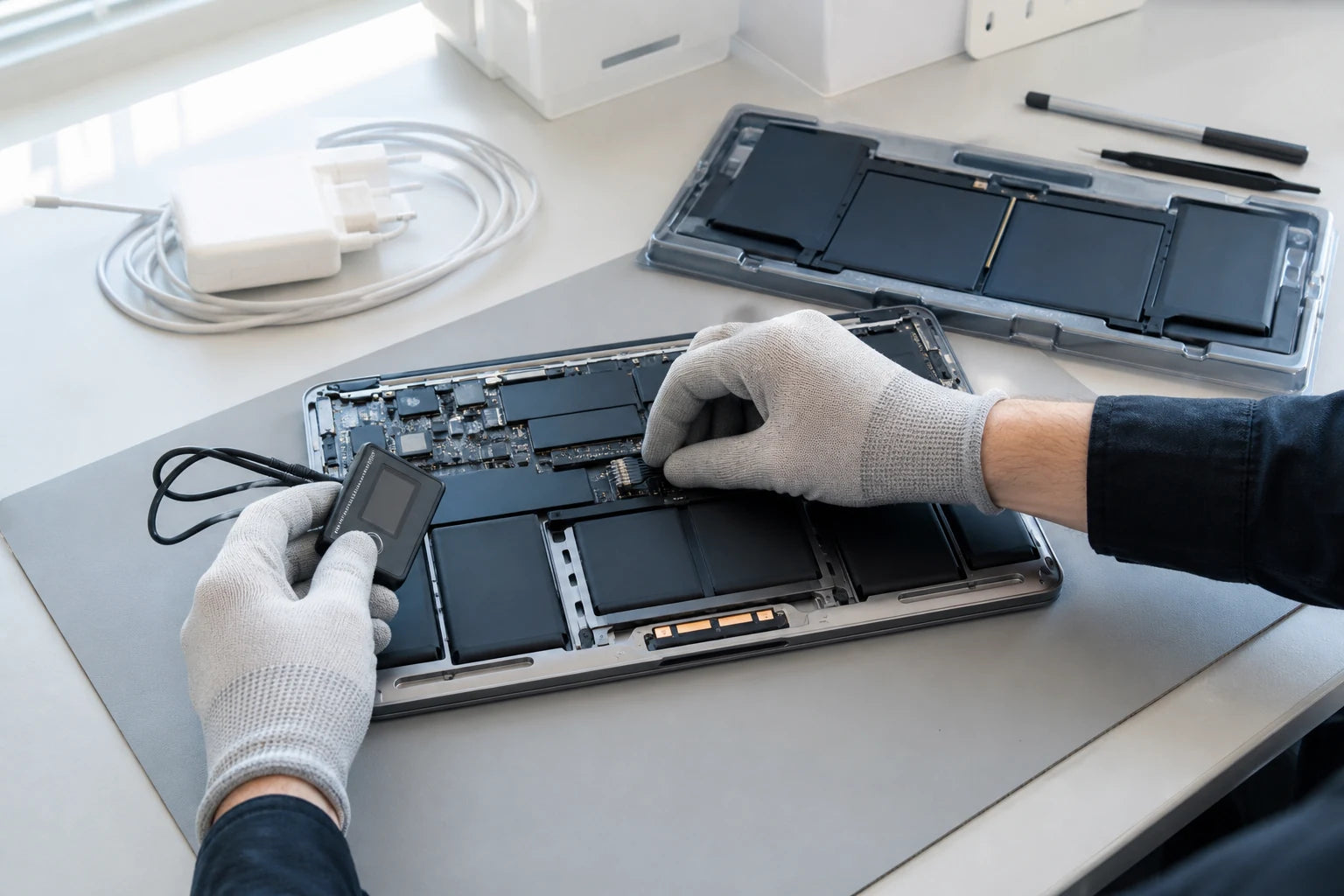
MoboPlus assesses MacBook Air and MacBook Pro battery symptoms in Westgate, Auckland. Battery replacement is considered after checking the exact model, physical condition, macOS information and charging behaviour; one percentage or cycle-count value is not a complete diagnosis by itself.
01 · Use system information as evidence, not a verdict
What to record from macOS before a battery assessment
Apple publishes battery-health and cycle information, but actual runtime varies with workload, settings, temperature and age. Record the values together with real behaviour.
Battery status
- The exact condition message shown in Battery settings, including Service Recommended
- Maximum-capacity information where the installed macOS version and model display it
- Whether Optimised Battery Charging or another charging limit appears active
Cycle and runtime context
- Cycle count from System Information together with the exact MacBook model
- Approximate runtime during a repeatable task rather than mixed heavy and light use
- Any unexpected shutdown percentage, rapid drop, charging pause or overnight loss
Physical and charging evidence
- Case separation, raised touchpad, heat, odour or a MacBook that no longer sits flat
- Adapter and cable used, including whether every supported port behaves the same way
- Recent liquid, impact, macOS update, long storage period or earlier battery work
02 · A raised case needs action, not calibration
Stop charging a MacBook that appears swollen
A battery can expand and press against the touchpad, keyboard or bottom case. Do not use software readings to dismiss visible distortion; physical swelling needs a safe assessment even if the MacBook still turns on.
Shut the MacBook down and disconnect power if safe. Do not push the touchpad, clamp the case, puncture the battery area or continue using it on a soft or hot surface.
- Keep the device away from heat and combustible clutter.
- Tell MoboPlus about odour, heat, leakage or severe deformation before transport.
- Do not place a loose or damaged lithium battery in household rubbish.
03 · Several systems influence “battery problems”
Separate battery wear from charging and power faults
This symptom map helps frame the inspection. It does not prove that a battery, adapter or logic-board component has failed.
| What the MacBook does | Battery explanation | Other explanation to consider |
|---|---|---|
| Runtime is shorter but charging is stable | Usable capacity may have declined with age and use | Higher workload, brightness, background activity, heat or changed settings |
| Shuts down with charge remaining | Battery voltage may become unstable under load | Software reporting, thermal or board-level power fault |
| Shows Service Recommended | macOS has identified battery service information | Review physical condition and actual behaviour before choosing a route |
| Does not charge through any port | Battery may not accept or report charge | Adapter, cable, USB-C or MagSafe input, software or charging circuit |
| Charges through one port but not another | Battery alone is less likely to explain a port-specific fault | Port contamination, connector damage or port-specific circuitry |
| Touchpad is raised or case is bowed | Possible physical battery swelling | Stop use and charging; do not attempt to flatten the case |
Apple states that Mac laptop batteries are designed to retain up to 80% of original capacity at 1,000 complete charge cycles. That is a design reference, not proof that a particular MacBook must be replaced at one exact reading.
04 · Model-specific assessment and verification
A responsible MacBook battery replacement path
MacBook battery access and integration vary by generation. The process should account for coverage, charging hardware and surrounding components before replacement is approved.
-
Check Apple coverage and identify the model
If Apple warranty or AppleCare may apply, review official service options first. Record the MacBook Air or Pro model, year and battery information before matching a replacement route.
-
Review software and physical evidence
Battery condition messages, cycle context, runtime, shutdown behaviour and swelling are considered together. A physically distorted device should not be kept running merely to collect more statistics.
-
Check charging-system clues
The usual adapter, cable and available ports help distinguish a battery complaint from power-delivery or logic-board charging faults. The level of testing depends on the symptom and safe access.
-
Confirm part and repair scope
Compatibility, availability, enclosure condition and any connected damage are explained before work. This page does not promise an Apple-branded part, a fixed health reading or a universal calibration result.
-
Verify the original complaint
After approved work, checks should include battery recognition, charging response, startup and the reported shutdown or power behaviour where practical. Long-term runtime still depends on workload and settings.
05 · Choose by condition, coverage and need
Monitor, replace, investigate or use Apple service?
A useful decision balances physical safety, actual runtime, charging reliability, coverage and the value of the complete MacBook.
Monitor battery behaviour
- Often fits when
- There is no swelling or shutdown, runtime still meets the need and the change follows heavier workload or settings.
- Check first
- Keep a current backup and reassess if deterioration becomes rapid, charging becomes unreliable or the case changes shape.
Assess for battery replacement
- Often fits when
- The battery is confirmed as the likely cause of poor runtime, shutdowns or failed unplugged operation and the MacBook remains otherwise suitable.
- Check first
- Confirm model compatibility, part information, total scope and expected testing without relying on a guaranteed health percentage.
Investigate charging or use Apple coverage
- Often fits when
- Charging is port-specific, the adapter is unrecognised, logic-board symptoms exist, or Apple warranty or AppleCare may apply.
- Check first
- Check official eligibility before independent work, and avoid replacing the battery when evidence points to another part of the charging path.
Quote clarity
Why the exact model and fault matter
We do not publish a made-up universal price. A useful quote depends on the device, part path, condition and what a careful assessment shows.
- Exact MacBook Air or Pro model, year and battery configuration
- Battery-health message, cycle context and real runtime symptoms
- Physical swelling or damage to the touchpad, keyboard and case
- Battery fault versus adapter, cable, port or logic-board charging issue
- Coverage status and whether Apple service should be checked first
- Compatible battery availability and access method
- Liquid, impact or previous-repair damage
Questions answered
MacBook Battery Replacement FAQ
Clear, conditional answers are more useful than promises that ignore the model or damage.
What does Service Recommended mean on a MacBook?
It is a macOS battery condition message indicating that service information should be reviewed. Consider it together with runtime, shutdowns, charging behaviour and physical condition. Visible swelling needs prompt action regardless of the message.
Does a MacBook battery need replacement below 80% capacity?
Not as an automatic rule on this page. Apple publishes 80% at 1,000 complete cycles as a battery design reference and uses capacity in some coverage terms, but an individual decision also depends on safety, actual runtime, charging reliability, coverage and user needs.
Is cycle count enough to diagnose a MacBook battery?
No. Cycle count is useful context, but battery age, temperature, workload, condition messages, runtime, shutdown behaviour and physical swelling also matter. Two batteries with similar cycle counts can behave differently.
Why will my MacBook not charge?
Possible causes include the battery, adapter, cable, MagSafe or USB-C connector, port damage, software charging behaviour or logic-board circuitry. Bring the usual power accessories and explain whether every supported port behaves the same way.
What should I do if my MacBook battery is swollen?
Shut down and disconnect external power if safe. Do not press the case or touchpad flat, puncture the battery area, apply heat or keep charging. Keep the device away from combustible clutter and arrange suitable assessment and disposal guidance.
Will a replacement battery show 100% health and reset the cycle count?
This page does not promise a fixed macOS health reading or cycle-count behaviour. Reporting can depend on model, battery, software and repair method. The practical checks are recognition, safe charging and resolution of the confirmed symptom.
How long does MacBook battery replacement take?
Timing depends on diagnosis, model, coverage decision, battery availability, access method, swelling and surrounding damage. MoboPlus should provide an estimate only after confirming the exact device and service scope.
MoboPlus · Westgate
Bring the exact model and the full story of the fault
Shop 2/12 Maki Street, Westgate Shopping Centre, Massey, Auckland 0814- Monday–Saturday
- 10:00–18:00
- Sunday
- 10:30–17:00
Content reviewed 27 August 2026. Service and parts remain subject to exact-model assessment and availability.