
Galaxy Tab model-specific assessment · Westgate
Samsung Tablet Repair Auckland
Galaxy Tab names cover many generations, sizes and regional variants. The SM model code, current condition, warranty route and exact symptom are essential before selecting a display, battery, USB-C or software service.
Answer first
What to know before choosing a repair
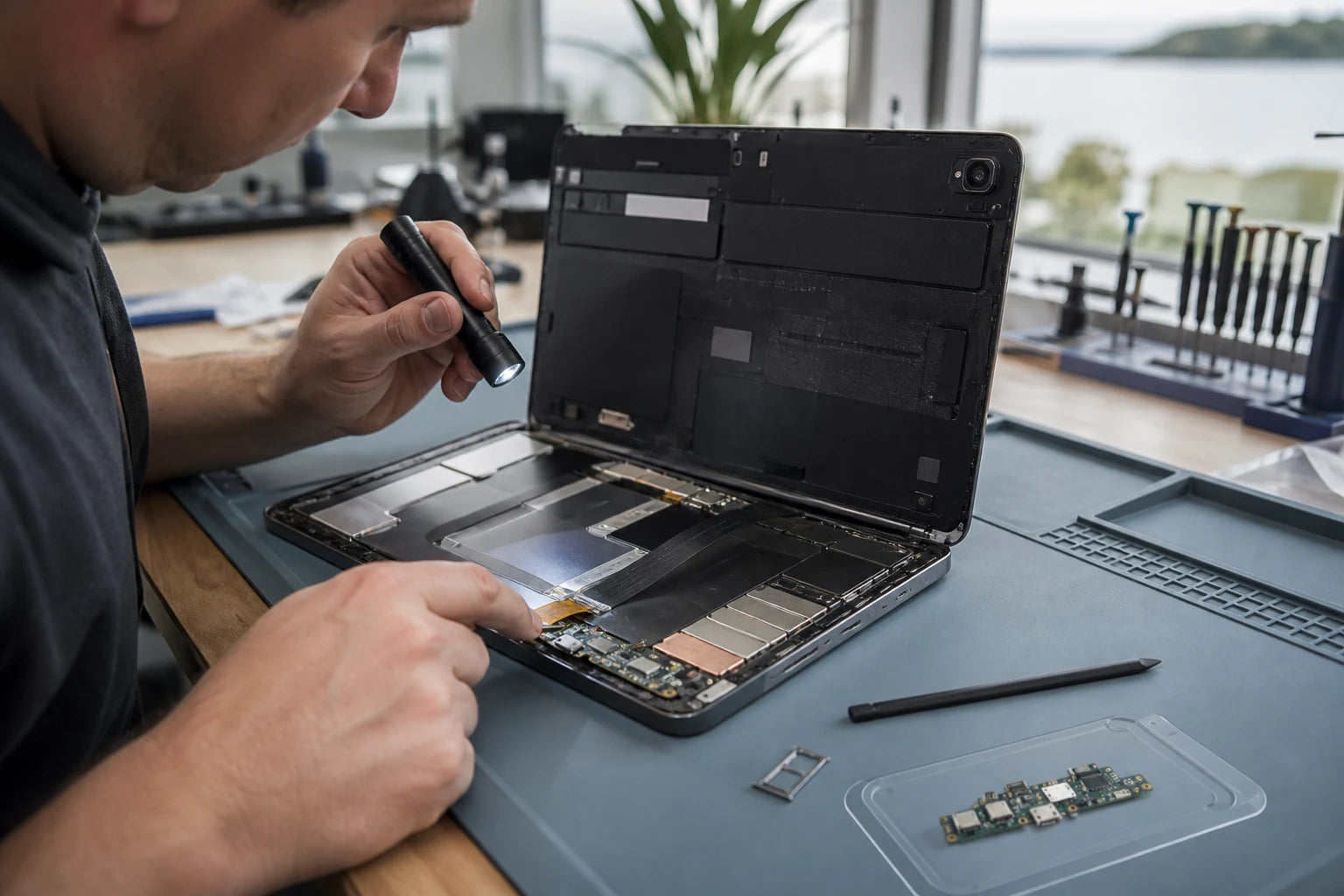
MoboPlus assesses supported Samsung Galaxy Tab models for display and touch damage, battery and charging problems, cameras, audio, buttons, software, liquid and selected board-level faults. This is independent local service; exact-model support and a quote are confirmed after assessment.
01 · Model and ownership
Record the SM model code before asking for a part
Galaxy Tab S, A, FE and Active names span different devices. The full code and region are safer identifiers than a family name, screen size or year remembered from purchase.
Find the identity
- Use About tablet in Settings when the device works reliably
- Check the rear label or original packaging for the full SM model code
- Record storage, cellular capability and screen size where known
- Photograph the code rather than relying on a handwritten partial number
Check the service route
- Check Samsung warranty or Samsung Care status before independent work
- Back up a stable device using a suitable method such as Samsung Smart Switch
- Review Samsung Maintenance Mode availability for privacy during eligible service
- Tell MoboPlus about previous repairs, non-original parts or liquid exposure
02 · Fault evidence
Use the symptom to narrow the path, not to name a part
Samsung tablets use different display technologies and assemblies. Charging, battery and startup symptoms also overlap, especially after impact, liquid or previous repair.
| Symptom | Important distinctions | Assessment focus |
|---|---|---|
| Crack, no touch or ghost touch | Normal versus damaged image, full versus partial touch failure, frame bend and previous display work | Glass, touch, display assembly, connector and enclosure by SM model |
| Lines, colour shift, black area or no image | Whether the tablet still starts, makes sound or connects and whether pressure or impact is visible | Display technology, assembly damage, connector, power or board-level display path |
| Fast drain, shutdown, heat or swelling | Runtime pattern, charging rate, recent software change and physical lifting | Battery condition, background activity, charging system and safety |
| Loose USB-C or no charging | Known-good cable and adapter, debris, cable orientation, liquid and computer data connection | Accessory, port, daughterboard where applicable, battery or deeper power circuit |
| Stuck logo, restart or slow operation | Free storage, update history, error messages, unwanted apps, battery stability and backup status | Software, storage, battery or board diagnosis with data risk stated first |
Power off a wet or swollen tablet when safe and do not continue charging merely to complete a backup or diagnostic test.
03 · Service scope
Assess the failed function and its linked components
These are diagnostic categories for supported models. They do not imply that every Galaxy Tab, part or damaged board is repairable or immediately available.
Screen and touch
The image, touch response, display type, connector and frame are reviewed before a compatible assembly path is discussed.
Battery and power
Runtime, unexpected shutdown, charge response, heat and physical swelling are compared with software and circuit behaviour.
USB-C charging and data
Cable fit, debris, port movement, charge negotiation and computer connection help separate the connector from deeper faults.
Cameras, audio and controls
Camera focus, microphones, speakers and physical buttons are assessed by model and in the context of impact or liquid.
Software and account preparation
Startup, updates, storage pressure and app issues are considered without proposing a reset before backup and approval.
Liquid and board-level cases
No-power, corrosion and component-level faults require feasibility checks, and repair cannot guarantee all data or functions.
04 · Choose deliberately
Official support and independent repair are not the same service
The suitable route depends on coverage, the model, the fault and what outcome matters. Confirm status before assuming parts, warranty or turnaround.
Samsung-authorised support
- Often fits when
- The tablet may have manufacturer warranty, Samsung Care or a service need that should remain within the official network.
- Check first
- Use Samsung New Zealand to locate a centre and confirm coverage, genuine-parts terms, preparation and the offered remedy.
MoboPlus assessment
- Often fits when
- You want a local Westgate assessment for a supported tablet and understand that MoboPlus is not presented as Samsung-authorised.
- Check first
- Ask about exact SM-model support, the part path, feature and water-resistance implications, availability and quote.
Replace or repurpose
- Often fits when
- Multiple systems are damaged or the tablet no longer supports required apps, security updates, accessories or workplace needs.
- Check first
- Verify cloud and local backups, account access, trade-in condition and the cost of compatible accessories.
05 · Model-led process
Make compatibility and privacy part of the repair plan
The process should record what works, clarify the desired outcome and avoid unnecessary access or reset before an option is approved.
-
Confirm the SM code and service status
Identify the model and check whether the customer intends to use official coverage or independent assessment.
-
Record condition and privacy preparation
Document damage, previous work, backup status and whether an available privacy mode has been enabled appropriately.
-
Diagnose the reported function
Test display, touch, battery, USB-C, startup, camera or audio behaviour only as the condition safely allows.
-
Explain the supported option
Describe the likely component or software path, linked risks, availability and quote without implying official authorisation.
-
Verify and disclose
Check functions relevant to the work and clearly identify any unresolved condition, data risk or feature limitation.
06 · Prepare safely
Bring evidence, not just the tablet name
Good preparation shortens model identification and keeps the discussion focused. Skip any power-on step when liquid, swelling or unsafe heat is present.
Bring or send
- Full SM model code and a clear description of the symptom
- The affected charger, cable, keyboard or stylus when relevant
- Photos of cracks, frame bends, port damage or liquid entry
- Dates and details of previous repair or replacement parts
Protect the data
- Verify a current backup while the tablet remains stable
- Use only official privacy or transfer tools appropriate to the model
- Remove SIM and memory cards unless needed to reproduce the fault
- State whether data access, full operation or a repair decision is the priority
Quote clarity
Why the exact model and fault matter
We do not publish a made-up universal price. A useful quote depends on the device, part path, condition and what a careful assessment shows.
- Full Samsung SM model code, size and network variant
- Display technology, assembly and frame condition
- USB-C, battery, liquid or board involvement
- Previous repair and current feature behaviour
- Data, privacy and account preparation requirements
- Supported part option and availability
Questions answered
Samsung Tablet Repair FAQ
Clear, conditional answers are more useful than promises that ignore the model or damage.
How do I find the Samsung tablet model code?
Check About tablet in Settings or the small rear label for the full code beginning with SM. The original box or purchase record may also help. A family name such as Tab A or Tab S is not precise enough for parts.
Is MoboPlus a Samsung-authorised service centre?
This page describes independent local assessment and does not claim Samsung-authorised status. If manufacturer warranty, Samsung Care or official genuine-parts service matters, use Samsung New Zealand to confirm an authorised route before independent work.
Can a cracked Galaxy Tab screen be repaired separately from the display?
The answer depends on the SM model, display construction, touch response, image and frame condition. Some faults require an assembly path, while impact may affect several layers. Assessment is required before selecting a part.
Does a Samsung tablet that will not charge need a USB-C port?
Not necessarily. Cable, adapter, debris, connector damage, battery, liquid corrosion and deeper charging circuitry can look similar. Bring the relevant charger and describe any computer-connection or cable-angle behaviour.
Should I use Maintenance Mode or Smart Switch before service?
Samsung provides official privacy and transfer tools, but availability and steps depend on the model and software. Follow Samsung guidance, verify a backup where possible and ask what access the chosen repair path actually requires.
Will screen or port repair restore original water resistance?
Do not assume factory water resistance after a device has been opened or damaged. Ask about the specific repair and treat the tablet as vulnerable to liquid unless an applicable, verified sealing standard is explicitly confirmed.
MoboPlus · Westgate
Bring the exact model and the full story of the fault
Shop 2/12 Maki Street, Westgate Shopping Centre, Massey, Auckland 0814- Monday–Saturday
- 10:00–18:00
- Sunday
- 10:30–17:00
Content reviewed 27 August 2026. Service and parts remain subject to exact-model assessment and availability.