
Specification-led buying guide · New Zealand · Updated 7 September 2026
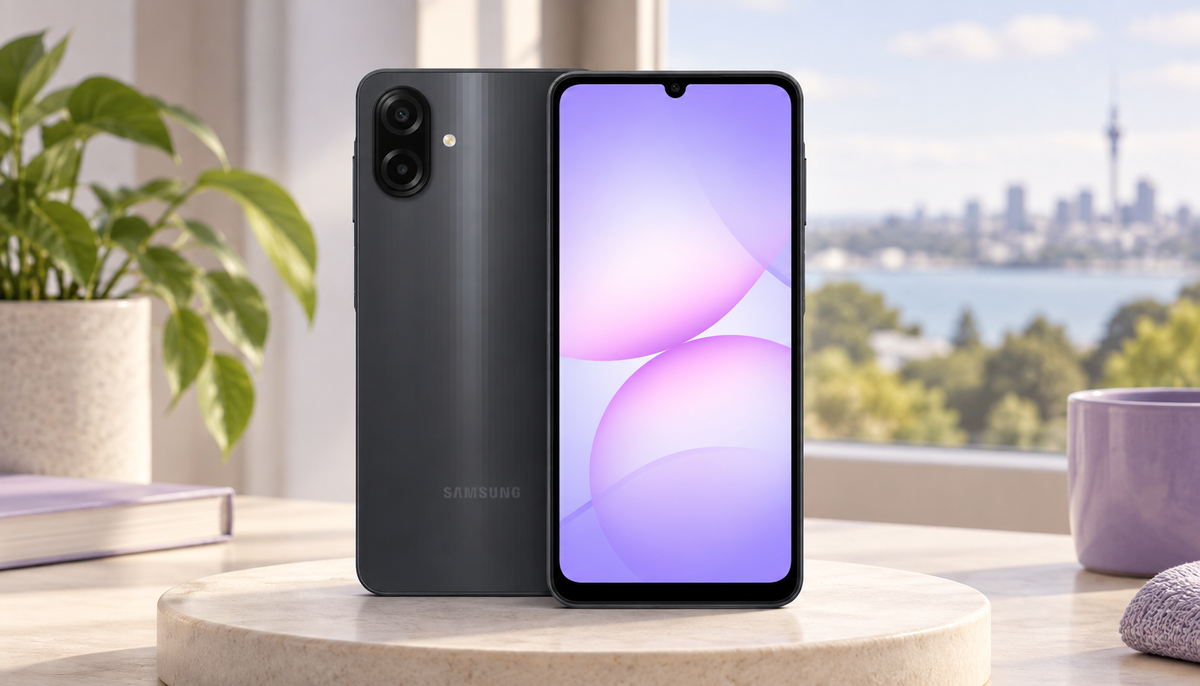
The Samsung Galaxy A07 4G is designed for buyers who want a current, affordable Galaxy phone for calls, messaging, video, maps and everyday apps. Its 4GB/128GB configuration balances useful storage with entry-level memory—but it is important to understand where the low price creates real trade-offs.
Editorial note: this is a specification-led buying guide, not a claim of independent laboratory testing. Hardware facts are checked against Samsung NZ's SM-A075F specifications; performance guidance is deliberately framed around the 4GB/128GB configuration sold locally. Price, stock, colour and box contents can change, so confirm the live product page before ordering.
Quick verdict
Is the Samsung Galaxy A07 4G worth buying in New Zealand?
Yes—for light everyday use, a first smartphone, a secondary handset or a budget-conscious buyer who values 128GB storage, dual SIM, microSD expansion, a large 90Hz display and long software support. Spend more if you need 5G, sharper Full HD or AMOLED visuals, strong low-light photography, optical image stabilisation, stereo speakers, Samsung DeX, heavy gaming or consistently fast multitasking.
Best for
Calls, chat, maps, video and light apps
Key value
128GB plus dedicated microSD slot
Main limit
4GB RAM and 4G-only connectivity
Display trade-off
Large and smooth, but HD+ PLS LCD
Samsung Galaxy A07 4G specifications at a glance
| Area | SM-A075F specification | What it means |
|---|---|---|
| Display | 6.7-inch PLS LCD, 720 × 1600, 90Hz | Large and smooth-scrolling, but less sharp and contrast-rich than FHD+ AMOLED |
| Processor | MediaTek Helio G99, 6nm octa-core | Appropriate for daily apps and light gaming; not a flagship workload device |
| Memory/storage | 4GB RAM / 128GB local listing | Good file capacity for the class; modest multitasking headroom |
| Expansion | Dedicated microSD slot; Samsung NZ lists support up to 2TB | Useful for media, though not every app or system file can move to a card |
| Rear cameras | 50MP main + 2MP depth, no OIS | Best treated as an everyday daylight camera, not a night/video specialist |
| Front/video | 8MP; up to FHD 1080p at 30fps recording | Suitable for normal calls and casual clips in good light |
| Battery | 5000mAh typical | Strong capacity on paper; actual runtime depends on signal, brightness and use |
| Network/SIM | 4G LTE, dual nano-SIM plus microSD | Flexible for two physical numbers, but there is no 5G |
| Protection | IP54, 7.6mm, 184g | Slim with dust/splash resistance; it is not waterproof |
| Long-term support | Samsung promises 6 OS generations and 6 years of security updates | Unusually strong support for an entry-level phone; policies remain subject to change |
Who should buy the Galaxy A07 4G?
A good fit
- First smartphone or straightforward family phone
- Calls, WhatsApp, email, banking, maps and streaming
- Secondary, work or travel handset using 4G
- Buyer who wants 128GB plus expandable media storage
- Someone prioritising Samsung software familiarity and long support
Consider a higher tier
- You specifically need 5G or eSIM
- You keep many demanding apps open together
- High-graphics gaming is a daily priority
- You want AMOLED/FHD+, stereo sound or DeX
- Night photography and stabilised video matter heavily
Design and display: large, smooth and intentionally basic
At 7.6mm thick and 184g, the Galaxy A07 is relatively slim for a phone with a 6.7-inch screen and 5000mAh battery. The side fingerprint sensor gives it a familiar, practical layout. IP54 protection helps against dust and splashes, but should not be read as permission to submerge the phone or expose it deliberately to water.
The 90Hz refresh rate makes scrolling and interface movement look smoother than a traditional 60Hz budget display. Resolution is the compromise: 720 × 1600 HD+ across 6.7 inches is adequate for everyday text and video, but fine detail will not look as crisp as it does on a smaller screen or an FHD+ panel.
The PLS LCD does not deliver the deep blacks and contrast of AMOLED. If you read small text extensively, edit photos, watch high-resolution media closely or use the phone outdoors all day, compare the screen in person before deciding.
Performance: the Helio G99 is capable, while 4GB RAM sets the ceiling
Samsung moved this generation to a 6nm processor, identified in its NZ material as the MediaTek Helio G99. For an entry-level phone, that is a meaningful foundation for everyday navigation, messaging, browsing, video and light games.
The 4GB RAM configuration is the more important limitation. A few ordinary apps should be manageable, but switching repeatedly among a large browser session, navigation, camera, social media and games can cause apps to reload. Performance can also change as apps become heavier over several years.
Is 128GB worth choosing over 64GB?
For most buyers planning to keep the phone for several years, 128GB is the safer starting point. System files and pre-installed software consume part of the advertised capacity, while photos, messages and app caches grow. A microSD card is valuable for photos and downloaded media, but it does not replace internal storage for every app and system task.


Camera: useful in daylight, limited by hardware rather than megapixels
The rear system combines a 50MP autofocus main camera with a 2MP depth sensor. The front camera is 8MP, and Samsung lists video recording up to 1080p at 30fps. Those numbers support everyday photos, document capture, video calls and casual clips.
The phone does not have optical image stabilisation. In lower light, hand movement and slower exposure can reduce sharpness; video while walking will not look like footage from a stabilised mid-range or flagship phone. Good lighting, a steady grip and realistic expectations matter more than the 50MP headline.
If children, pets, night scenes or social-video production are central to the purchase, compare actual samples and consider a model with OIS, a stronger image processor and a better front camera.
Battery and charging
A 5000mAh typical battery is generous for this hardware class, and the HD+ display can reduce pixel-processing demand. Real runtime still varies substantially with brightness, signal strength, hotspot use, navigation, gaming and background apps. Confirm the charging specification and included accessories on the exact listing rather than assuming every market bundle is identical.
Connectivity and software support in New Zealand
This SM-A075F is a 4G LTE phone, not the separate Galaxy A07 5G. Samsung's NZ specifications list dual physical nano-SIM support plus a dedicated microSD slot, Wi-Fi on both 2.4GHz and 5GHz bands, Bluetooth 5.3, USB-C and a 3.5mm headphone jack.
The listed LTE bands include common New Zealand frequencies such as Band 3 and Band 28, but network registration, VoLTE, Wi-Fi calling and other carrier features can depend on the exact regional SKU and provider policy. Verify your carrier requirements if this will be a work, rural or emergency phone. If 5G, eSIM or NFC/contactless payment is essential, confirm those features explicitly before purchase.
Samsung promises six generations of OS upgrades and six years of security updates from the first global launch, with its NZ support page currently listing security support through 31 August 2031. That long policy is a major strength at this price level, although support policies can change and long software support does not remove the 4GB RAM limitation.
What the Galaxy A07 4G does not give you
NZ buying checklist before you order
- Confirm the exact model: SM-A075F 4G is different from similarly named 5G versions.
- Choose storage deliberately: 128GB is more comfortable for long ownership than 64GB, even with microSD.
- Check current stock and colour: use the live Black, Green or Light Violet product listing.
- Read box contents: confirm charger, cable, case and screen-protector inclusion rather than assuming.
- Verify network features: ask your carrier about VoLTE, Wi-Fi calling or other essential services.
- Understand the display: 90Hz improves motion; it does not turn HD+ LCD into FHD+ AMOLED.
- Protect it appropriately: IP54 does not cover intentional immersion, and accidental damage is different from a product fault.
- Keep the invoice: products bought from an NZ business for personal use may carry Consumer Guarantees Act protections in addition to any written warranty.
Galaxy A07 4G versus spending more
Do not compare phones only by camera megapixels or storage. A higher-tier Galaxy may add an AMOLED/FHD+ display, more RAM, 5G, OIS, better speakers and stronger sustained performance. Those improvements matter when the phone is your primary work device, camera or gaming platform.
The A07 wins when those premium features are not central and the price difference is better spent elsewhere. Compare the complete package—phone condition, warranty, storage, network compatibility, accessories and realistic years of use—against the current live price.
Frequently asked questions
Is the Samsung Galaxy A07 a 5G phone?
No. The SM-A075F model covered here uses 4G LTE. Galaxy A07 5G is a separate model, so check the exact model code before ordering.
Is 4GB RAM enough on the Galaxy A07?
It is enough for focused everyday use such as calls, messaging, browsing, maps and video. It is modest for heavy multitasking, large games and buyers expecting flagship responsiveness for many years.
Does Galaxy A07 support a microSD card?
Yes. Samsung NZ lists a dedicated microSD slot with support up to 2TB for the SM-A075F configuration. Card capacity, speed and compatibility still matter.
Does it have dual SIM?
Samsung's NZ specification lists two nano-SIM slots plus a separate microSD slot. Carrier and regional settings can affect how services operate.
Is the Galaxy A07 waterproof?
No. IP54 means limited dust and splash protection under specified test conditions. It is not designed for swimming, showering or deliberate submersion.
Is the 50MP camera good?
It is suitable for casual daylight photos and documents. With no OIS and entry-level supporting hardware, it should not be judged like a mid-range or flagship camera in low light or motion.
How long will the Galaxy A07 receive updates?
Samsung promises six OS generations and six years of security updates from first global launch. Its NZ page currently lists security support through 31 August 2031, subject to policy changes.
Should I buy 64GB or 128GB?
Choose 128GB for most long-term primary-phone use. The 64GB model can suit light or secondary use, but system files and growing apps leave less flexibility, and microSD cannot replace internal storage for everything.
Check the live Galaxy A07 4GB/128GB listing
Compare current price, Black/Green/Light Violet availability, warranty, shipping and exact box contents before buying.
View Galaxy A07 128GB Compare Samsung phones


