
2026 New Zealand buying guide · Updated 26 August 2026
A compact 4G tablet that still makes sense—for the right buyer
Short answer: buy the Samsung Galaxy Tab A9 LTE SM-X115 if you want an easy-to-carry 8.7-inch Android tablet with its own mobile-data connection. Skip it if you need premium gaming, serious creative work, an active stylus or a large laptop-style workspace.

Decision first
Galaxy Tab A9 LTE verdict
The Galaxy Tab A9 LTE is not the newest small Samsung tablet in 2026, and that is exactly why the buying decision needs context. Its value is no longer about being the latest release. Its value is the combination of compact size, 4G connectivity, familiar Samsung software and a sensible local price.
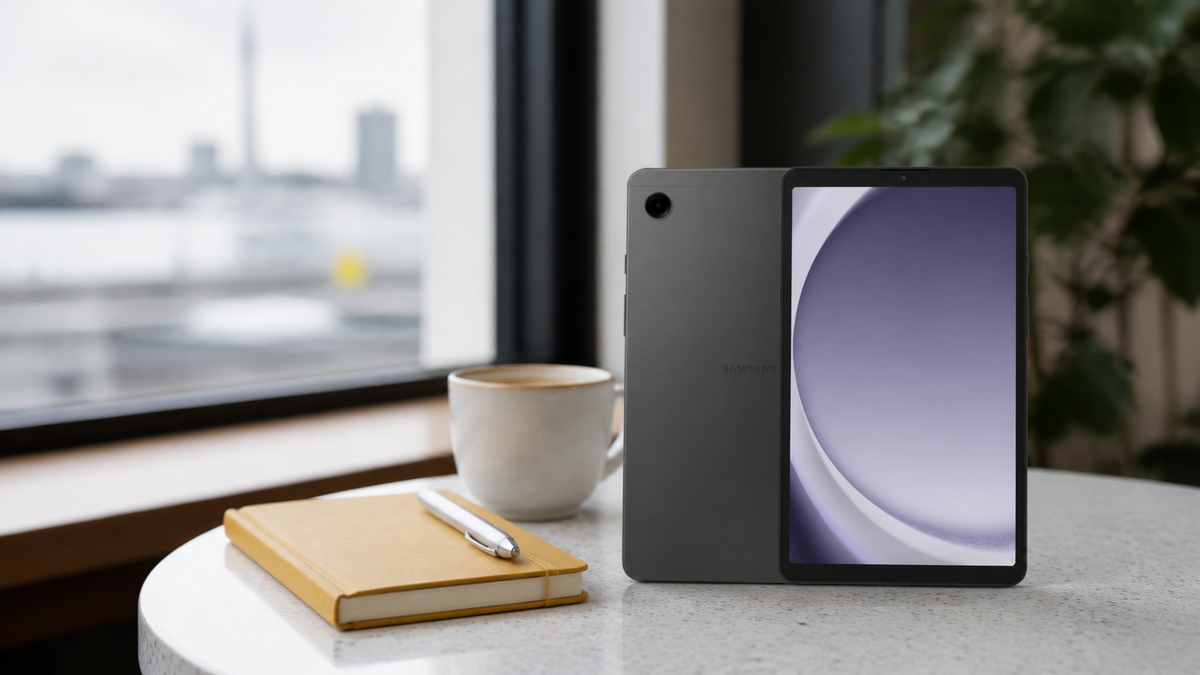
For a commuter, traveller, family member or small-business user who wants a screen larger than a phone without carrying an 11-inch tablet, the SM-X115 remains useful. The 333g published weight and 8.7-inch screen make it easy to hold for reading, use in a vehicle mount or slip into a small bag.
However, the specification ceiling is real. The 4GB/64GB configuration is designed for everyday Android tasks, not heavy multitasking. The 60Hz TFT display is functional rather than premium. The cameras are primarily for video calls, document capture and QR codes. A buyer expecting laptop-class productivity, advanced drawing or high-end gaming should move up the range.
Our recommendation: compare the live price with newer 8.7-inch models. If the Tab A9 LTE is meaningfully cheaper and you specifically need 4G, it remains an easy product to understand and recommend. If the price gap is small, the newer model deserves priority.
At a glance
Samsung Galaxy Tab A9 SM-X115 specifications

This guide covers the exact Graphite 4GB RAM / 64GB storage LTE model sold by Moboplus under model SM-X115 and product code T0020010020.
Regional versions can differ, so match the model number—not only the product name—when comparing reviews, network features and accessories.
| Display | 8.7-inch TFT, 1340 × 800 WXGA+, up to 60Hz |
|---|---|
| Memory and storage | 4GB RAM, 64GB internal storage |
| Expandable storage | microSD up to 1TB for compatible media; card sold separately |
| Mobile connection | Single-SIM 4G LTE plus dual-band Wi-Fi |
| Cameras | 8MP autofocus rear, 2MP front |
| Audio | Stereo speakers, Dolby Atmos support, 3.5mm headphone jack |
| Battery | 5100mAh typical, built in |
| Size and weight | 211 × 124.7 × 8mm; 333g for the LTE version |
| Port | USB Type-C, USB 2.0 |
Actual usable storage is lower after the operating system and pre-installed apps. Manufacturer specifications and regional software can change.
What it feels like to own
Everyday experience: the strengths you notice first
The compact shape is the real feature
Most tablet comparisons begin with processor numbers. For this model, size matters more. An 8.7-inch tablet is noticeably easier to carry than an 11-inch device, yet it offers more reading and video space than a phone. That makes it useful for public transport, field work, recipes, e-books, streaming and navigation.
The metal-bodied design also feels more considered than the price category suggests. Tech Advisor's review praised the build, bright screen and stereo speakers for the price, while still calling out slow charging and weak cameras. That balance matches the product's purpose: Samsung spent more of the budget on the parts people use every day.
The display is useful, not luxurious
The 1340 × 800 TFT panel is adequate for YouTube, Netflix, reading and web browsing. It is not as sharp or fluid as a premium OLED or high-refresh tablet. Small text is readable at sensible scaling, but buyers who work with detailed graphics or want a visibly smoother interface should compare a higher-tier model.
The 8.7-inch screen is also a deliberate trade-off. It is excellent for portability but less comfortable for long spreadsheet sessions, complex split-screen work or detailed editing. Samsung supports two compatible apps on screen, but the physical area remains limited.
Sound is stronger than the cameras
Stereo speakers and Dolby Atmos support make casual viewing more enjoyable than a single-speaker budget device. The 3.5mm jack is especially practical for children, travel and workplaces where simple wired headphones are preferred.
The 8MP rear camera is best treated as a document and reference camera. The 2MP front camera can handle basic video calls in good light, but it is not a reason to choose this tablet. Independent testing from Notebookcheck likewise found the front camera limited, while noting surprisingly useful GPS accuracy for an entry-level tablet.
The reason to choose SM-X115
How 4G LTE changes the experience in New Zealand
The SM-X115 is the cellular version of the Tab A9. Insert a compatible physical SIM with a suitable New Zealand plan and the tablet can use mobile data away from Wi-Fi. That is valuable for delivery work, travel, field visits, navigation, children in the car and anyone who does not want to tether through a phone.
Do not assume every phone feature is guaranteed. Voice calling, messaging and network behaviour can vary with the regional software, carrier and plan. The safest buying approach is to ask your carrier whether its service supports your intended use on the exact SM-X115 model.

Before you buy a SIM plan
- Confirm coverage where the tablet will actually be used.
- Check whether you need data only or voice and SMS as well.
- Ask the carrier to confirm compatibility with model SM-X115.
- Do not assume eSIM support; this unit is sold as a physical single-SIM model.
- Remember that a SIM card and mobile plan are not included with the tablet.
Set the right expectations
Performance, storage and battery
Is 4GB RAM enough?
For web browsing, streaming, email, maps, reading and one or two ordinary apps, yes. Four gigabytes is still an entry-level amount, so performance will feel less comfortable when many apps remain open, browser tabs accumulate or a game needs more memory.
The best way to keep the tablet responsive is simple: remove unused apps, keep free internal storage, restart occasionally and avoid expecting several demanding tasks to run at once. If you already know you need sustained multitasking, buy more RAM rather than trying to optimise around the limit.
Is 64GB storage enough?
It can be enough for streamed media and a modest app library, but the full 64GB is not available to the user. Android and Samsung software take part of the capacity. Large games, offline video and downloaded school content can fill the remaining space quickly.
Samsung lists microSD support up to 1TB for compatible media. That is excellent for photos, video, music and documents, but it does not turn the card into unlimited app storage. Buyers who rely on many large applications should prioritise more internal capacity.
What should you expect from the 5100mAh battery?
Battery life depends heavily on screen brightness, mobile signal, streaming quality, background activity and whether LTE is active. The capacity is appropriate for a compact tablet, but it should not be converted into a guaranteed number of hours without controlled testing.
Charging is one of the weaker parts of the experience. Plan to charge during a longer break or overnight, and note that the current package list includes a USB Type-C cable but does not list a wall charger.
A more useful 2026 comparison
Galaxy Tab A9 LTE vs newer and larger options
In 2026, the most important comparison is no longer against every old budget tablet. It is whether the A9 LTE is priced well enough to justify choosing it over a newer compact Samsung model—or whether an 11-inch tablet better suits your work.
| Choice | Why choose it | What to check |
|---|---|---|
| Galaxy Tab A9 LTE | Compact 8.7-inch size, physical SIM, familiar Samsung software and potentially better clearance value | Price gap, remaining software life, 4GB/64GB limits and charger inclusion |
| Newer 8.7-inch Samsung | Newer launch date and potentially longer useful support window | Whether the exact NZ version includes LTE, enough RAM/storage and a worthwhile upgrade |
| Galaxy Tab A9+ or other 11-inch tablet | More comfortable video, split-screen work, documents and keyboard use | Extra weight, bag space, price and whether cellular connectivity is included |
| Wi-Fi-only compact tablet | Lower price when mobile data is unnecessary | Dependence on Wi-Fi or phone tethering away from home |
The practical rule: choose the A9 LTE because you need its combination of small size and independent mobile data. If those two requirements are not important, the field becomes much wider.
Avoid the common mistakes
Seven checks before ordering
- Confirm the exact model: SM-X115 is the LTE version covered here; SM-X110 is Wi-Fi only.
- Check live inventory and price: both can change after this article is updated.
- Confirm your carrier use case: especially if voice calling or SMS matters.
- Budget for accessories: a case, screen protector, microSD card and wall charger are not listed as included.
- Check required apps: school and workplace software must support Android and 4GB RAM.
- Compare the newer model: an older tablet is only a good value when the total offer is better.
- Read the warranty exclusions: physical damage, water damage and misuse are excluded from the listed 12-month warranty.
Ready to check the current offer?
Samsung Galaxy Tab A9 LTE SM-X115
View today's price, inventory, package contents and warranty details on the live Moboplus product page.
Direct answers
Samsung Galaxy Tab A9 LTE FAQ
Is the Galaxy Tab A9 LTE still worth buying in 2026?
Yes, when you want a compact physical-SIM tablet and its price is meaningfully lower than a newer equivalent. It is less compelling when the price gap is small or when you need more than 4GB RAM and 64GB storage.
What is the difference between SM-X115 and SM-X110?
SM-X115 is the 4G LTE version with physical SIM support. SM-X110 is the Wi-Fi-only version. Always verify the complete model number before ordering.
Can the Galaxy Tab A9 LTE make phone calls?
Cellular hardware does not guarantee every calling feature on every network. Voice and messaging support can depend on the regional software, carrier and plan, so confirm your requirement with the provider.
Does the SM-X115 support eSIM?
This Moboplus unit is sold as a physical single-SIM model and is not advertised with eSIM support.
Can I install apps on the microSD card?
Samsung describes the card as expansion for compatible media such as photos, video and music. App storage behaviour varies, so buyers with many large apps should choose more internal storage rather than relying on microSD.
Is the Tab A9 LTE good for Netflix and YouTube?
Yes for casual viewing. The compact screen, stereo speakers and headphone jack suit travel and personal entertainment, although the display is not premium-resolution OLED.
Is it suitable for gaming?
It can run ordinary Android games, but 4GB RAM and entry-level graphics are not aimed at demanding titles on high settings. Serious gamers should compare a more powerful tablet.
Does it support Samsung S Pen?
Do not buy the Tab A9 expecting an active S Pen workflow. If pressure-sensitive writing or drawing is essential, choose a tablet that explicitly lists active-pen support.
Is a wall charger included?
The current package list includes a USB Type-C data cable and documentation but does not list a wall charger. Check the live listing before checkout.
What warranty does Moboplus provide?
The listing includes a 12-month warranty, excluding physical damage, water damage and misuse. Review the complete terms or contact Moboplus if your use case needs clarification.
Sources and editorial method
Specifications were checked on 26 August 2026 against the Samsung New Zealand Galaxy Tab A9 LTE page and the Moboplus product record for model SM-X115. Buying context was compared with independent reviews from Notebookcheck and Tech Advisor.
Moboplus may sell multiple regional configurations. Product price, stock, software and package contents can change. This article separates manufacturer facts from editorial buying guidance and does not claim a laboratory test performed by Moboplus.


